
Columbus, IN · Bartholomew County
Subdivision Improvement Agreement
This agreement sets requirements for constructing and dedicating subdivision improvements, and the developer files it with the City of Columbus for acceptance by the Board of Public Works & Safety.
- licensed online notary
- ~15 min average
- Notarized PDF emailed
What you’ll need
- Government-issued photo ID
- Webcam-enabled device (laptop or phone)
- This form, ready to upload as a PDF
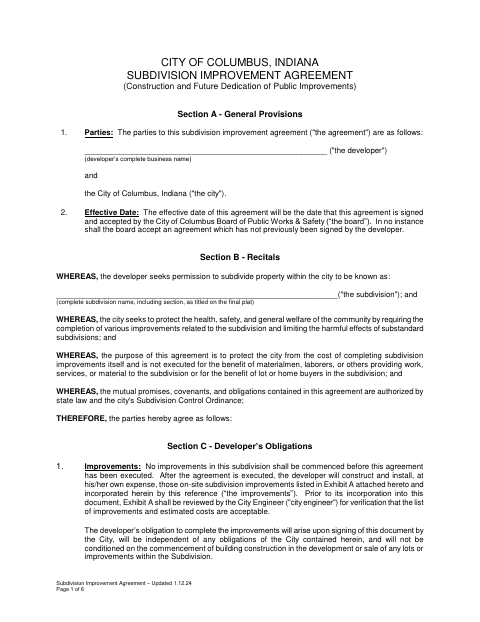
What this form is
The agreement identifies the developer and subdivision, lists improvement and construction-plan exhibits, and sets deadlines, maintenance guarantees, inspection, and acceptance requirements. The city requires the developer to sign and submit it before beginning subdivision improvements; it becomes effective when signed and accepted by the Board of Public Works & Safety. The form also allows either party to record a copy with the Bartholomew County Recorder.
Who needs it
A developer seeking city approval to subdivide property and construct related public improvements must complete and submit this agreement before starting the improvements.
Why it needs a notary
The developer signs the acceptance section before a notary, who completes the form’s subscribed-and-sworn jurat; city representatives sign the separate city acceptance section.
How to get this notarized
- 1
Download The Form
Download the City of Columbus Subdivision Improvement Agreement.
- 2
Fill In The Agreement
Complete the developer and subdivision fields and prepare the referenced improvement and construction-plan exhibits.
- 3
Book An Online Notary
Arrange an online notarization for the developer’s acceptance signature and jurat.
- 4
Sign On Video
Sign the developer acceptance section during your online notary session and complete the jurat.
- 5
Submit To The City
Send the signed agreement to the City of Columbus for Board acceptance before starting improvements.
Preview the form
The blank PDF straight from Columbus. Look it over, then upload your filled copy to start the notary session.

You’ll need ID and a webcam.
A licensed online notary will join you on video, verify your government-issued ID, witness your signature, and apply their seal. You’ll receive the notarized PDF by email when the session ends.
Frequently asked questions
- How do I complete the subdivision improvement agreement?
- Enter the developer and subdivision details, attach the required exhibits, and sign the developer acceptance section before a notary. Submit the signed agreement to the city for Board acceptance.
- Do I need to notarize the city’s acceptance section?
- The form places a subscribed-and-sworn jurat beneath the developer’s acceptance signature. The city’s acceptance section has separate signature lines for Board members and the clerk.
- Can I sign this agreement with a commissioned online notary?
- Indiana allows its notaries with a remote notary public endorsement to perform remote online notarizations. Indiana law also recognizes certain notarial acts by authorized officers of another state. Confirm the city will accept your notarized document.
- Where do I submit or record the completed agreement?
- Submit it to the City of Columbus for Board acceptance. The form says either the developer or the city may record a copy with the Bartholomew County Recorder; confirm with the city or town if unsure.