
Edmonton, KY · Metcalfe County
Open Records Request and Commercial Purpose Certification
This packet lets individuals request City of Edmonton public records and, when seeking them for a commercial purpose, explain that purpose and sign a sworn certification.
At a glance
- Issued by
- City of Edmonton · Edmonton, Metcalfe County, Kentucky
- Notarization
- Required: sign this form in front of a notary before filing it.
- Official source
- cityofedmontonky.com
- Blank form
- Download the PDF
- Catalogued
- Machine-readable
- JSON record · about the forms index
- licensed online notary
- ~15 min average
- Notarized PDF emailed
What you’ll need
- Government-issued photo ID
- Webcam-enabled device (laptop or phone)
- This form, ready to upload as a PDF
What this form is
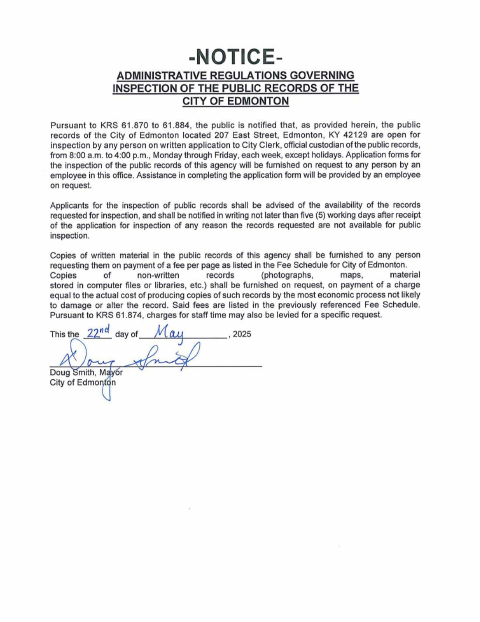
Use the request form to identify the records you want, provide contact details, choose how to receive them, and state whether the request is commercial. If you request records for a commercial purpose, the packet also includes a certification explaining that purpose and a verification signed before a notary. The city’s policy describes submission methods, response timing, copy charges, and possible staff-time costs.
Who needs it
Anyone requesting Edmonton public records may use the request form; requestors seeking records for a commercial purpose must also complete the certification.
Why it needs a notary
The commercial-purpose certification includes a jurat; the applicant signs the verification before the notary, who completes the notarial block.
How to get this notarized
- 1
Download the Packet
Download the City of Edmonton Open Records Policy packet and locate the request form and, if needed, commercial-purpose certification.
- 2
Fill Out the Request
Enter your contact information, identify the records, select a delivery method, and indicate whether the request is for a commercial purpose.
- 3
Complete the Certification
If requesting records for a commercial purpose, state the purpose on the certification and review its verification.
- 4
Book an Online Notary
Arrange an appointment with a commissioned online notary for the commercial-purpose certification.
- 5
Sign on Video
Sign the certification during the online notarization session so the notary can complete the jurat.
- 6
Submit to the City
Submit the completed request and any required certification to the City Clerk using a method listed in the city policy.
Preview the form
The blank PDF straight from Edmonton. Look it over, then upload your filled copy to start the notary session.

You’ll need ID and a webcam.
A licensed online notary will join you on video, verify your government-issued ID, witness your signature, and apply their seal. You’ll receive the notarized PDF by email when the session ends.
Frequently asked questions
- Do I need to notarize every open-records request?
- No. The packet’s notary block is on the Certification of Commercial Purpose. The request form itself has a signature line but no notary block.
- How do I complete the commercial-purpose certification?
- Describe the commercial purpose for the records, read the verification, and sign it before a notary. The notary completes the jurat and commission-expiration information.
- Can I sign this certification with a commissioned online notary?
- Kentucky authorizes online notarization by a commissioned online notary. Ask the City of Edmonton whether it will accept the remotely notarized certification before submitting it.
- How do I submit my public-records request?
- The policy says requests may be submitted in person, by email, or by US Mail to the City Clerk. Contact the city about submission details and any applicable charges.
- Where can I check whether the form is complete?
- Review the city’s Open Records Policy and contact the City Clerk with questions; confirm with the city or county clerk if unsure.