
Shreveport, LA · Caddo Parish
Non-Solicitation Affidavit
This affidavit is for contractors, architects, engineers, and other organizations receiving payment for services connected with a public contract who must attest that they did not pay a solicitor to secure it.
- licensed online notary
- ~15 min average
- Notarized PDF emailed
What you’ll need
- Government-issued photo ID
- Webcam-enabled device (laptop or phone)
- This form, ready to upload as a PDF
What this form is
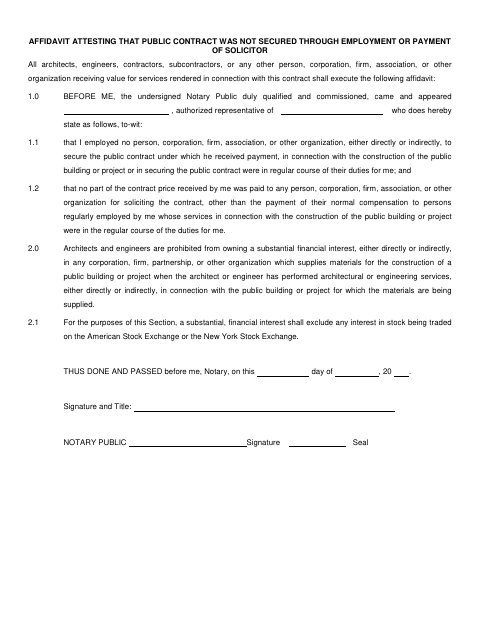
The affidavit states that the signer did not employ or pay a person or organization to secure the public contract, except for regular employee compensation. It also includes a statement about architects’ and engineers’ financial interests in suppliers for a public project. The form directs an authorized representative of the person or organization receiving payment to execute it before a notary.
Who needs it
Architects, engineers, contractors, subcontractors, and other people or organizations receiving value for services connected with the public contract must execute the affidavit.
Why it needs a notary
The form has a “BEFORE ME” notary block and a “THUS DONE AND PASSED before me” signature and seal block; the authorized representative signs before the notary.
How to get this notarized
- 1
Download the Affidavit
Download the Non-Solicitation Affidavit from the Shreveport form page.
- 2
Fill In the Form
Enter the representative and organization details and complete the affidavit statements. Do not sign before the notary session.
- 3
Book an Online Notary
Schedule a session with a commissioned online notary.
- 4
Sign on Video
The authorized representative signs during the online notarization session.
- 5
Submit to the City
Submit the notarized affidavit with the relevant public-contract documents.
Preview the form
The blank PDF straight from Shreveport. Look it over, then upload your filled copy to start the notary session.

You’ll need ID and a webcam.
A licensed online notary will join you on video, verify your government-issued ID, witness your signature, and apply their seal. You’ll receive the notarized PDF by email when the session ends.
Frequently asked questions
- How do I get the non-solicitation affidavit notarized?
- Complete the form, then book a commissioned online notary. The authorized representative signs during the video session; submit the completed affidavit with your public-contract documents.
- Do I need to sign this affidavit before a notary?
- Yes. The form includes a “BEFORE ME” block and directs the representative to sign before a Notary Public.
- Can I use a commissioned online notary for this form?
- Louisiana authorizes remote online notarization under La. R.S. 35:621 et seq. Check whether the receiving office accepts an electronically notarized affidavit; confirm with the parish or municipality if unsure.