
Springfield, MA · Hampden County
Going Out-of-Business Sale Inventory Listing
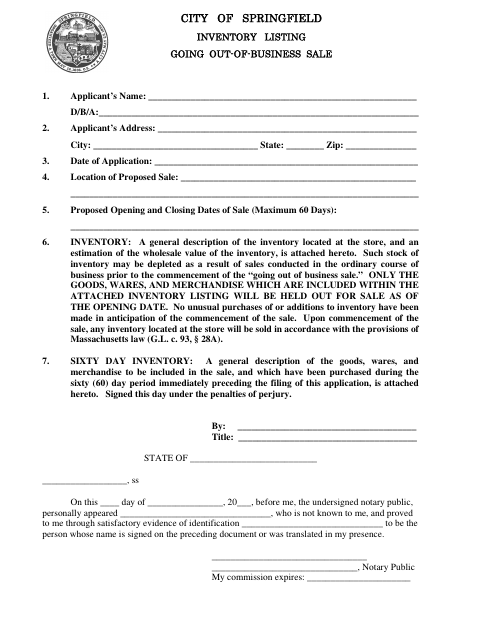
This form identifies the applicant, sale location and dates, and merchandise for a proposed going-out-of-business sale; the business applicant files it with the City of Springfield.
- licensed online notary
- ~15 min average
- Notarized PDF emailed
What you’ll need
- Government-issued photo ID
- Webcam-enabled device (laptop or phone)
- This form, ready to upload as a PDF
What this form is
The application records the applicant and sale details and requires attached descriptions and estimated wholesale value of the store’s inventory, including goods purchased during the 60 days before filing. It states that only merchandise on the attached inventory listing will be held out for sale at the opening date and that the inventory will be sold under G.L. c. 93, § 28A. The applicant signs under the penalties of perjury.
Who needs it
A business applicant planning a going-out-of-business sale in Springfield needs this form to provide the proposed sale dates, location, and required inventory listings.
Why it needs a notary
The form carries a personal-appearance notarial certificate requiring the applicant who signed the preceding document to appear and prove identity before the notary.
How to get this notarized
- 1
Download the Form
Get the City of Springfield Going Out-of-Business Sale Inventory Listing.
- 2
Complete the Application
Enter the applicant and sale information and attach both required inventory descriptions, including the 60-day inventory.
- 3
Book an Online Notary
Arrange a remote online notarization for the applicant who will sign the form.
- 4
Sign on Video
Appear by video, prove your identity to the notary, and sign the application as directed.
- 5
Submit to the City
Submit the completed application and inventory attachments to the City of Springfield using its required process.
Preview the form
The blank PDF straight from Springfield. Look it over, then upload your filled copy to start the notary session.

You’ll need ID and a webcam.
A licensed online notary will join you on video, verify your government-issued ID, witness your signature, and apply their seal. You’ll receive the notarized PDF by email when the session ends.
Frequently asked questions
- How do I complete the inventory listing?
- Describe the store inventory and estimate its wholesale value in an attachment. Include a separate description of goods purchased during the 60 days immediately before filing, then complete the applicant and sale details.
- Do I need to sign this form before a notary?
- Yes. The form includes a notarial certificate stating that the signer personally appeared and proved their identity. Sign before the notary so the certificate can be completed.
- Can I use a commissioned online notary?
- Massachusetts permanently authorized remote online notarization for its own notaries effective January 1, 2024, under G.L. c. 222, §§ 27–29. G.L. c. 183, § 30(b) recognizes certain acknowledgments taken outside the Commonwealth.
- Where should I submit the completed application?
- The form is issued by the City of Springfield and is an application for a proposed sale. Confirm the submission process with the city or town clerk if unsure.