
Eaton County, MI · Eaton County
Name Change Form
This form records a new full name and former name for a person submitting a name change form to Eaton County.
At a glance
- Issued by
- City of Eaton County · Eaton County, Eaton County, Michigan
- Notarization
- Not required: file this form without a notary.
- Official source
- eatoncounty.org
- Blank form
- Download the PDF
- Catalogued
- Machine-readable
- JSON record · about the forms index
What this form is
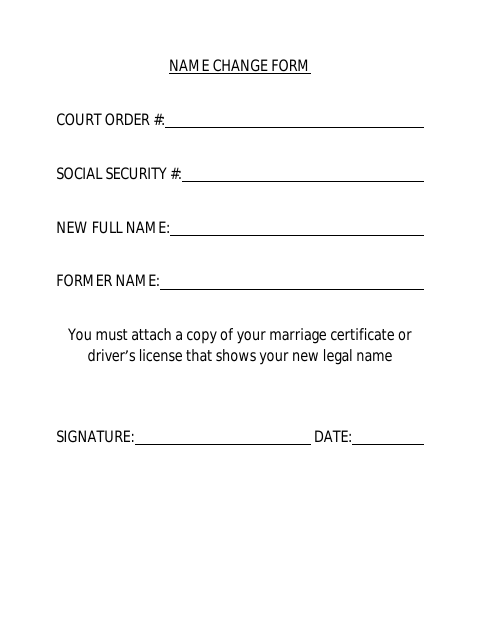
The Name Change Form records a court order number, Social Security number, new full name, and former name. It instructs the signer to attach a copy of a marriage certificate or driver’s license showing the new legal name, then sign and date the form. The document does not state when the county requires it or where to submit it.
Who needs it
A person submitting this form to Eaton County to provide a new full name, former name, and supporting proof of the new legal name.
How to submit it
Submit it to the county department named on the form; check the county website for current contact details.
About notarization
This document is signed without a notary; the signer just signs and dates it, and the listed attachment is a marriage certificate or driver’s license.
How to submit this form
- 1
Download the Form
Download the Name Change Form PDF.
- 2
Complete the Form
Enter the court order number, Social Security number, new full name, and former name, then sign and date.
- 3
Gather the Attachment
Attach a copy of a marriage certificate or driver’s license showing the new legal name.
- 4
Submit to the County
Submit the form and attachment to the county department named on the form; check the county website for current contact details.
Frequently asked questions
- What information does the Name Change Form ask for?
- It asks for a court order number, Social Security number, new full name, former name, signature, and date.
- What attachment does the form require?
- The form says to attach a copy of a marriage certificate or driver’s license that shows the new legal name.
- Do I need a notary for the Name Change Form?
- No. The document has a signature and date line but no notary block; the signer just signs and dates it. The listed attachment is a marriage certificate or driver’s license.
- How do I submit the Name Change Form?
- The document does not provide submission instructions. Submit it to the county department named on the form; check the county website for current contact details.