
North Brunswick, NJ · Middlesex County
Site Plan / Conditional Use Application
This eight-page application is for applicants seeking site plan or conditional use approval from the North Brunswick Planning Board or Zoning Board of Adjustment.
- licensed online notary
- ~15 min average
- Notarized PDF emailed
What you’ll need
- Government-issued photo ID
- Webcam-enabled device (laptop or phone)
- This form, ready to upload as a PDF
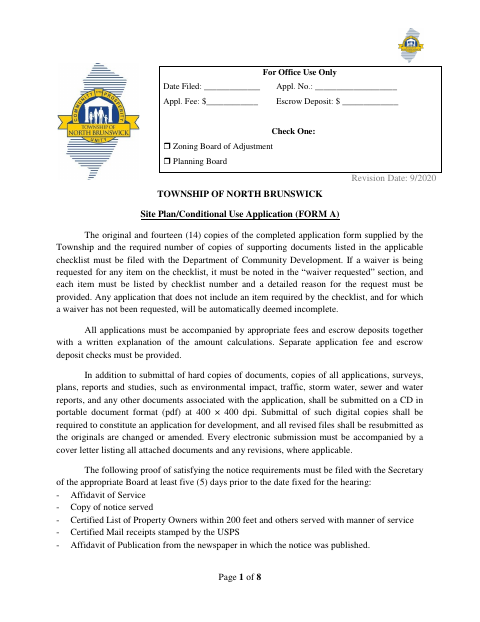
What this form is
Use this form to request site plan, amended site plan, or conditional use approval and to provide details about the property, proposed development, and related approvals. The Township requires the completed application, supporting documents, fees, escrow deposits, and specified digital files to be filed with the Department of Community Development. Applicants must also provide proof of required public notice at least five days before the hearing.
Who needs it
Applicants seeking site plan or conditional use approval in North Brunswick must complete this application and provide the required supporting materials.
Why it needs a notary
The applicant’s and, if applicable, owner’s certifications each have a sworn jurat stating “Sworn to and subscribed before me”; the signer appears before the notary.
How to get this notarized
- 1
Download the Application
Get the Site Plan / Conditional Use Application and the applicable checklist from the Township.
- 2
Complete the Form
Enter the property and applicant details, select requested approvals, and prepare the required supporting materials, fees, and digital files.
- 3
Book an Online Notary
Schedule a commissioned online notary for the applicant’s certification and the owner’s certification, if applicable.
- 4
Sign on Video
Each person signing a sworn certification appears before the notary and signs as directed during the video session.
- 5
Submit to the Township
File the completed application and required copies, supporting documents, payments, and proof of notice with Community Development.
Preview the form
The blank PDF straight from North Brunswick. Look it over, then upload your filled copy to start the notary session.

You’ll need ID and a webcam.
A licensed online notary will join you on video, verify your government-issued ID, witness your signature, and apply their seal. You’ll receive the notarized PDF by email when the session ends.
Frequently asked questions
- How do I notarize the certifications on this application?
- Complete the application, then book a commissioned online notary. The applicant and, if applicable, owner must sign their respective certifications while appearing before the notary.
- Do I need to notarize both certifications?
- The form provides separate sworn certifications for the applicant and the owner, if different. Each person signing a certification must appear before a notary.
- Can I use an online notary for this New Jersey form?
- New Jersey permanently authorizes its notaries to perform remote online notarization and remote ink notarization. A commissioned online notary can notarize a signer remotely by video.
- What must I submit with the application?
- The form calls for the original and 14 copies, checklist materials, applicable fees and escrow deposits, and digital copies on CD in PDF format. It also lists required proof of notice before the hearing.
- Where do I file the completed application?
- The form directs applicants to file with the Township’s Department of Community Development. For submission details or questions about requirements, confirm with the municipality if unsure.