
South Brunswick, NJ · Middlesex County
Residential Resale Certificate Waiver Application Letter
This sample attorney letter requests a waiver of the Residential Resale Certificate requirement and is submitted for buyers purchasing a South Brunswick property when the seller cannot apply.
- licensed online notary
- ~15 min average
- Notarized PDF emailed
What you’ll need
- Government-issued photo ID
- Webcam-enabled device (laptop or phone)
- This form, ready to upload as a PDF
What this form is
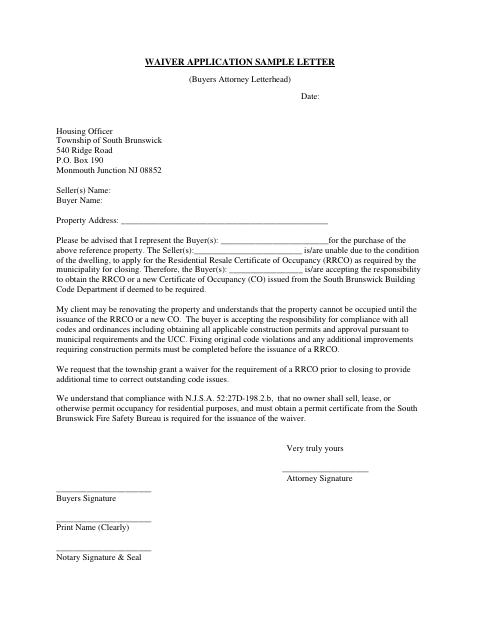
The letter asks South Brunswick to waive the requirement for a Residential Resale Certificate of Occupancy before closing because the seller cannot apply due to the dwelling’s condition. The buyer accepts responsibility for obtaining the required certificate, addressing code issues, and securing applicable permits and approvals. The letter also states that the property cannot be occupied until the required certificate is issued and references a fire safety permit certificate as a waiver condition.
Who needs it
A buyer’s attorney may prepare this letter when the seller cannot apply for a Residential Resale Certificate of Occupancy before a South Brunswick property closing.
Why it needs a notary
The form has a Notary Signature & Seal block but specifies no jurat or acknowledgment; the buyer signs the letter before a notary.
How to get this notarized
- 1
Download the Sample Letter
Get the South Brunswick waiver application sample letter and review its instructions and required information.
- 2
Complete the Letter
Have the buyer’s attorney use attorney letterhead and fill in the date, buyer, seller, and property details.
- 3
Book an Online Notary
Arrange a remote notarization appointment for the buyer’s signature.
- 4
Sign on Video
The buyer signs the letter during the online notary session and completes the notarial process.
- 5
Submit to the Township
Send the completed waiver request to the South Brunswick Housing Officer.
Preview the form
The blank PDF straight from South Brunswick. Look it over, then upload your filled copy to start the notary session.

You’ll need ID and a webcam.
A licensed online notary will join you on video, verify your government-issued ID, witness your signature, and apply their seal. You’ll receive the notarized PDF by email when the session ends.
Frequently asked questions
- How do I use this waiver application letter?
- Have the buyer’s attorney prepare the letter on attorney letterhead, complete the buyer, seller, and property details, and arrange for the buyer to sign before a notary. Submit the request to the township.
- Do I need to notarize the buyer’s signature?
- The sample includes a Notary Signature & Seal line beneath the buyer’s signature. The buyer should sign before a notary, then submit the completed letter to the township.
- Can I sign this form with an online notary?
- New Jersey has permanently authorized remote online and remote ink notarization for its own notaries since October 2021 (P.L. 2021, c.179; N.J.S.A. 52:7-10.9 et seq.). An authorized officer’s notarial act performed in another state has the same effect under N.J.S.A. 52:7-10.14. Confirm with the municipality if unsure.
- What does the buyer agree to in the letter?
- The buyer accepts responsibility for obtaining the required resale or new certificate of occupancy, complying with applicable codes and ordinances, and obtaining permits and approvals. The letter says the property cannot be occupied until the required certificate is issued.
Other forms in South Brunswick
Affidavit of Proof of Service
South Brunswick
Application for Development
South Brunswick
Business Entity Disclosure Certification for Land Use Development Applications
South Brunswick
Indemnification Agreement
South Brunswick
Operation Blue Angel Application
South Brunswick
Police Records Check Application
South Brunswick