
Eatontown, NJ · Monmouth County
Basement General Affidavit
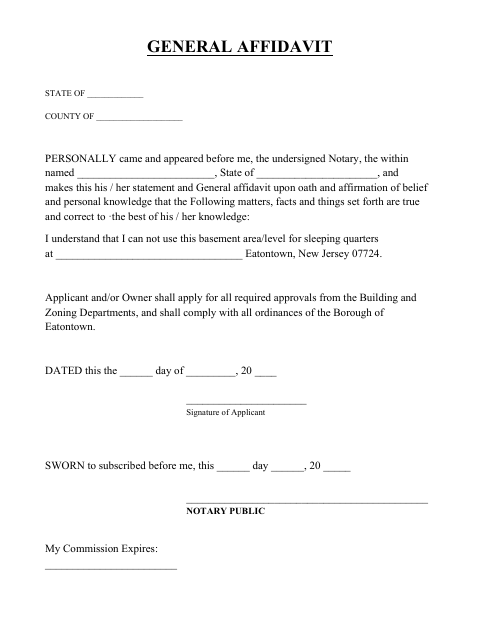
This sworn affidavit records an applicant’s or owner’s statement that a basement will not be used for sleeping quarters and addresses required approvals and Borough ordinances.
- licensed online notary
- ~15 min average
- Notarized PDF emailed
What you’ll need
- Government-issued photo ID
- Webcam-enabled device (laptop or phone)
- This form, ready to upload as a PDF
What this form is
This affidavit records an applicant’s or owner’s sworn statement that the basement area or level will not be used for sleeping quarters. It also states that the applicant and/or owner will seek required Building and Zoning approvals and comply with Borough ordinances. The form identifies the property address and includes a dated signature and notary section. Submit it with the applicable Eatontown basement-related application; check the Borough’s instructions for when and how it must be filed.
Who needs it
An applicant or property owner completing Eatontown’s basement-related paperwork and making the stated commitment about basement use, approvals, and Borough ordinances needs this affidavit.
How to get this notarized
- 1
Download the Affidavit
Get the Basement General Affidavit from Eatontown’s document center.
- 2
Fill In the Form
Complete the state, county, signer, property address, and date fields.
- 3
Book an Online Notary
Arrange a remote notarization with a commissioned online notary.
- 4
Sign on Video
Sign and swear or affirm the affidavit during the notary session.
- 5
Submit to the City
Follow Eatontown’s instructions to submit the notarized form with the applicable basement-related application.
Preview the form
The blank PDF straight from Eatontown. Look it over, then upload your filled copy to start the notary session.

You’ll need ID and a webcam.
A licensed online notary will join you on video, verify your government-issued ID, witness your signature, and apply their seal. You’ll receive the notarized PDF by email when the session ends.
Frequently asked questions
- How do I complete the Basement General Affidavit?
- Fill in the state, county, name, property address, and date. Sign the affidavit in front of a notary, then follow Eatontown’s instructions for submitting it.
- Do I need to sign this affidavit in front of a notary?
- Yes. The form includes a sworn-to and subscribed-before-me jurat, so the person making the affidavit signs and swears or affirms it before the notary.
- Can I use an online notary for this affidavit?
- New Jersey has permanently authorized remote online notarization and remote ink notarization for its own notaries since October 2021 (P.L. 2021, c.179; N.J.S.A. 52:7-10.9 et seq.). A commissioned online notary can notarize remotely.
- What does the affidavit say about basement use?
- The signer states that the basement area or level will not be used for sleeping quarters and that the applicant and/or owner will seek required Building and Zoning approvals and comply with Borough ordinances.
- Where should I submit the completed affidavit?
- Submit it with the applicable Eatontown basement-related application according to Borough instructions. If you are unsure about filing requirements, confirm with the municipality.