
Glen Cove, NY · Nassau County
Affidavit of Footings, Foundations and Existing Support Systems
This affidavit lets a licensed architect or engineer certify to the Glen Cove Building Department that existing footings, foundations and support systems can support proposed construction.
- licensed online notary
- ~15 min average
- Notarized PDF emailed
What you’ll need
- Government-issued photo ID
- Webcam-enabled device (laptop or phone)
- This form, ready to upload as a PDF
What this form is
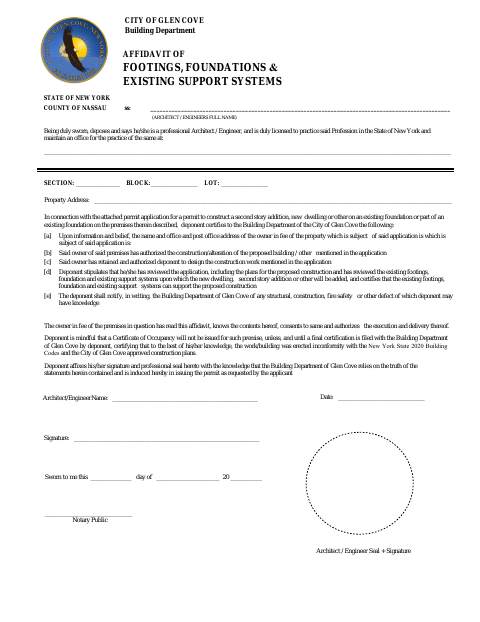
Glen Cove requires this affidavit with a permit application for a second-story addition, new dwelling or other construction on an existing foundation or part of one. The architect or engineer states that they reviewed the plans and existing structure, certifies its ability to support the proposed work, and agrees to notify the Building Department of known defects. The form also notes that final certification is needed before a Certificate of Occupancy will be issued.
Who needs it
A licensed architect or engineer completes this affidavit for a permit application involving construction on an existing foundation or support system in Glen Cove.
How to get this notarized
- 1
Download the Affidavit
Get the footings, foundations and existing support systems affidavit for the Glen Cove permit application.
- 2
Complete the Form
The architect or engineer fills in the professional, property and project information and reviews the affidavit.
- 3
Book an Online Notary
Schedule a remote notarization session with a commissioned online notary.
- 4
Sign on Video
The architect or engineer signs during the video session and takes the oath before the notary.
- 5
Submit to the City
File the notarized affidavit with the Glen Cove Building Department as part of the permit application.
Preview the form
The blank PDF straight from Glen Cove. Look it over, then upload your filled copy to start the notary session.

You’ll need ID and a webcam.
A licensed online notary will join you on video, verify your government-issued ID, witness your signature, and apply their seal. You’ll receive the notarized PDF by email when the session ends.
Frequently asked questions
- How do I get this affidavit notarized online?
- Complete the form, then book with a commissioned online notary. The architect or engineer signs during the video session after the notary verifies their identity and administers the oath.
- Do I need to sign in front of the notary?
- Yes. The form has a jurat stating “Sworn to me,” so the architect or engineer making the affidavit must sign before the notary.
- Who completes the footings and foundations affidavit?
- A licensed architect or engineer completes it for a permit application involving proposed construction on an existing foundation or support system.
- Can I use an online notary for this Glen Cove form?
- New York permits its commissioned online notaries to notarize remotely. Confirm with the city, town or village if unsure whether the completed form meets its submission requirements.
Other forms in Glen Cove
Fellow Plumber or Employer’s Affidavit for Plumbers License
Glen Cove
Planning Board Affidavit of Posting
Glen Cove
Planning Board Affidavit of Service by Mail
Glen Cove
Planning Board Disclosure Affidavit
Glen Cove
Planning Board Site Plan Application
Glen Cove
Planning Board Special Use Permit Application
Glen Cove