
Babylon, NY · Suffolk County
Pawnbroker and Second-Hand Dealer License Application
This application is for individuals and businesses seeking a Town of Babylon license to operate as a pawnbroker or second-hand dealer in the town’s unincorporated areas.
- licensed online notary
- ~15 min average
- Notarized PDF emailed
What you’ll need
- Government-issued photo ID
- Webcam-enabled device (laptop or phone)
- This form, ready to upload as a PDF
What this form is
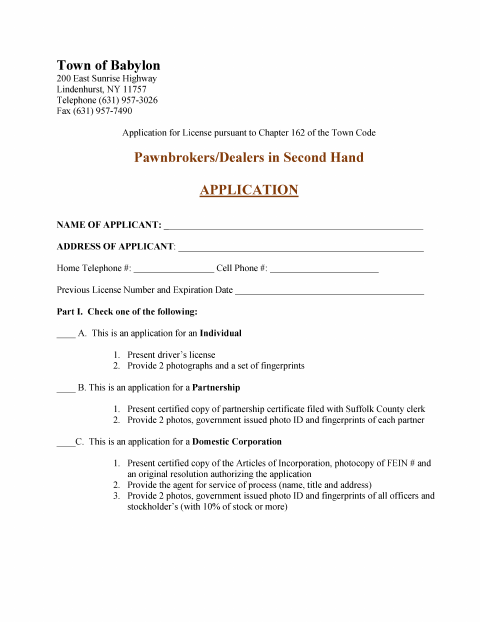
Applicants use this form to request an individual, partnership, domestic corporation or foreign corporation license, and to select a general, management or exposition license. It collects applicant and business details, premises information, and supporting materials; the applicant or corporate representative must also verify the application under oath. The Town Code says a license is required to conduct second-hand merchandise business in Babylon’s unincorporated areas, and the completed application is filed with the Town Clerk.
Who needs it
Individuals, partnerships, and domestic or foreign corporations seeking a Babylon pawnbroker or second-hand dealer license for business in the town’s unincorporated areas need this application.
Why it needs a notary
The form carries an individual or corporate verification with a sworn-to jurat; the applicant or, for a corporation, its officer signs and swears to the application before the notary.
How to get this notarized
- 1
Download The Application
Get the Pawnbroker and Second-Hand Dealer License Application from the Town of Babylon.
- 2
Complete The Form
Fill in the applicant, license, premises, and other applicable information, and gather the supporting materials requested.
- 3
Book An Online Notary
Schedule a session with a commissioned online notary for the required sworn verification.
- 4
Sign During The Video Session
Sign and swear to the application in front of the notary during your live online session.
- 5
Submit To The Town
Follow the Town Clerk’s instructions to file the completed application and supporting materials.
Preview the form
The blank PDF straight from Babylon. Look it over, then upload your filled copy to start the notary session.

You’ll need ID and a webcam.
A licensed online notary will join you on video, verify your government-issued ID, witness your signature, and apply their seal. You’ll receive the notarized PDF by email when the session ends.
Frequently asked questions
- How do I notarize the Babylon license application online?
- Complete the application, then book a session with a commissioned online notary. The applicant—or a corporate officer completing the corporate verification—signs and swears to the form during a live video session.
- Do I need to sign the application in front of a notary?
- Yes. The application includes an individual or corporate verification stating that the applicant is duly sworn, followed by a signature line and a jurat for the notary.
- What supporting materials does the application request?
- The form lists different supporting items based on applicant and license type, including business records, identification, photographs, fingerprints, bonds, and fees. Review the application and ask the Town Clerk about your specific filing.
- Can I use an online notary for this New York form?
- New York authorizes remote online notarization by its own notaries under Executive Law §135-c, in effect since 2023. Confirm with the city, town or village if unsure whether it will accept your remotely notarized application.