
Shelter Island, NY · Suffolk County
Limited Commercial Vacation Rental License Application
Shelter Island property owners use this application to seek a limited commercial vacation rental license and provide property, ownership, local contact, agent, and certification details to the Town.
- licensed online notary
- ~15 min average
- Notarized PDF emailed
What you’ll need
- Government-issued photo ID
- Webcam-enabled device (laptop or phone)
- This form, ready to upload as a PDF
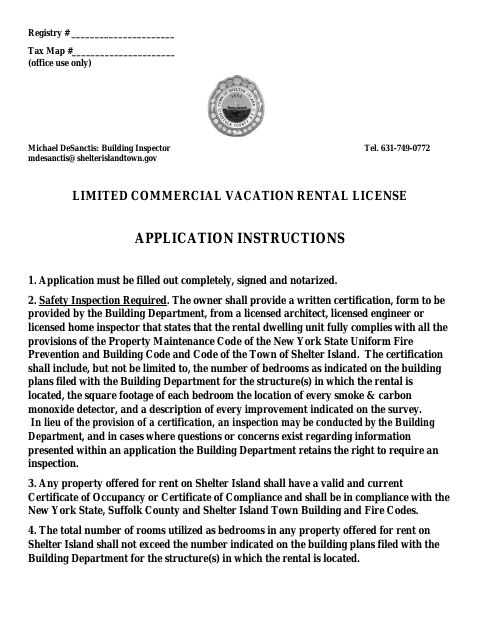
What this form is
This six-page application collects information about the rental property, its owner, any owning entity, a local contact person, and an agent for service of process. The Town’s instructions require applicants to complete, sign, and notarize the application. Applicants must also provide a safety certification or arrange for an inspection, and the rental property must have a current Certificate of Occupancy or Certificate of Compliance and meet applicable building and fire code requirements.
Who needs it
A Shelter Island property owner applying for a limited commercial vacation rental license must complete this form, including the required information and certifications.
Why it needs a notary
The form includes an acknowledgment block; the property owner or authorized entity representative whose signature appears on the application signs before the notary.
How to get this notarized
- 1
Download The Application
Get the Limited Commercial Vacation Rental License Application from the Town of Shelter Island.
- 2
Complete The Form
Fill in property, owner, local contact, agent, and certification sections; attach required entity documents if applicable.
- 3
Book An Online Notary
Schedule a session with a commissioned online notary and have your identification ready.
- 4
Sign On Video
Join the video session and sign the application when directed by the notary.
- 5
Submit To The Town
Send the notarized application and required supporting materials to the Town of Shelter Island.
Preview the form
The blank PDF straight from Shelter Island. Look it over, then upload your filled copy to start the notary session.

You’ll need ID and a webcam.
A licensed online notary will join you on video, verify your government-issued ID, witness your signature, and apply their seal. You’ll receive the notarized PDF by email when the session ends.
Frequently asked questions
- How do I notarize the Shelter Island vacation rental license application?
- Complete the application, then meet with a commissioned online notary by video and sign when instructed. Submit the notarized form and required supporting materials to the Town.
- Do I need to provide a safety inspection with this application?
- The instructions require a written safety certification from a licensed architect, engineer, or home inspector, or an inspection by the Building Department. The Department may also require an inspection.
- Can I sign this application with an online notary?
- New York authorizes its notaries to perform remote online notarizations. A commissioned online notary can guide you through the required video signing and acknowledgment.
- What supporting information may be required?
- The form requests property and owner details, a local contact, an agent for service of process, and certifications. Entity-owned properties must also attach specified ownership details and formation or operational documents.
- Where do I submit the notarized application?
- The form identifies the Town of Shelter Island Building Department contact. Confirm the current submission process and any additional requirements with the Town; confirm with the city, town or village if unsure.