
Portland, TN · Sumner County
Historic District Nomination Request Application
This application requests a historic district nomination from Portland’s Historic Preservation Commission and is filed by a property owner or applicant with the required supporting materials.
- licensed online notary
- ~15 min average
- Notarized PDF emailed
What you’ll need
- Government-issued photo ID
- Webcam-enabled device (laptop or phone)
- This form, ready to upload as a PDF
What this form is
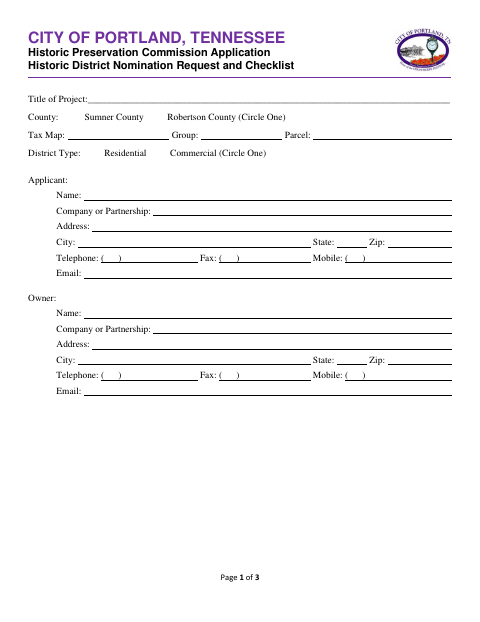
Use this application to ask the City of Portland’s Historic Preservation Commission to consider a proposed historic district. The applicant provides project, property, and owner information and submits supporting materials, including a narrative, property and owner lists, support letters, and a district map. The form also includes an agent authorization with an owner acknowledgment; the application says the authorization is required for all applications when an agent acts for the owner.
Who needs it
A property owner or applicant seeking a historic district nomination from Portland’s Historic Preservation Commission needs this application and the listed supporting materials.
Why it needs a notary
The owner signs the Agent Authorization Form before the notary; its block is an acknowledgment stating that the owner executed the instrument for its stated purposes.
How to get this notarized
- 1
Download the Application
Get the Historic District Nomination Request Application from the City of Portland.
- 2
Complete the Application
Fill in project, property, applicant, and owner information, and gather the supporting materials listed in the application.
- 3
Book an Online Notary
Arrange an online notarization for the owner’s signature on the Agent Authorization Form, if applicable.
- 4
Sign on Video
The owner signs the authorization during the online notary session and completes the acknowledgment.
- 5
Submit to the City
Send the completed application and supporting materials to the City of Portland.
Preview the form
The blank PDF straight from Portland. Look it over, then upload your filled copy to start the notary session.

You’ll need ID and a webcam.
A licensed online notary will join you on video, verify your government-issued ID, witness your signature, and apply their seal. You’ll receive the notarized PDF by email when the session ends.
Frequently asked questions
- How do I submit a historic district nomination request?
- Complete the application, gather the listed supporting materials, obtain the owner’s signed and notarized agent authorization when applicable, and submit everything to the City of Portland.
- Do I need to notarize the application?
- The application includes a notary acknowledgment for the owner’s signature on the Agent Authorization Form. The form says that authorization is required for all applications.
- Can I sign the owner authorization online with a notary?
- Tennessee authorizes its notaries to perform remote online notarizations under the Online Notary Public Act. A notary must register as an online notary through the Secretary of State; confirm with the city or town if unsure.
- What supporting materials does the application list?
- The checklist names a cover letter with narrative justification, property addresses, owner contact details and addresses, letters of support, and a map showing the proposed district.