
Brentwood, TN · Williamson County
Third-Party Plans Examiner Affidavit
This affidavit records a third-party plans examiner’s qualifications and review findings for a project, and is completed by the examiner for submission with the related permit or tracking information.
At a glance
- Issued by
- City of Brentwood · Brentwood, Williamson County, Tennessee
- Notarization
- Required: sign this form in front of a notary before filing it.
- Official source
- brentwoodtn.gov
- Blank form
- Download the PDF
- Catalogued
- Machine-readable
- JSON record · about the forms index
- licensed online notary
- ~15 min average
- Notarized PDF emailed
What you’ll need
- Government-issued photo ID
- Webcam-enabled device (laptop or phone)
- This form, ready to upload as a PDF
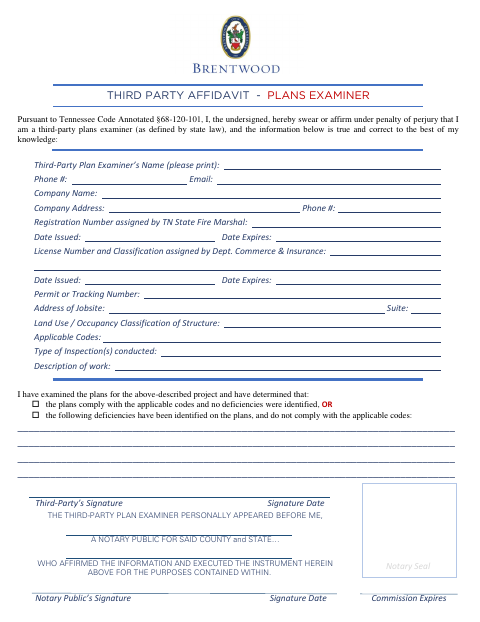
What this form is
The form identifies the third-party plans examiner, their registration and license details, the jobsite, and the project’s applicable codes. The examiner uses it to affirm that they reviewed the plans and either found them compliant or identified deficiencies. It includes a permit or tracking number field and a notarial section for the examiner’s affirmation.
Who needs it
A third-party plans examiner completing a review for a project should use this form to document their qualifications and findings.
Why it needs a notary
The examiner signs and affirms the information before the notary; the form includes a personal-appearance affirmation, notary signature, date, commission expiration, and seal.
How to get this notarized
- 1
Download the Form
Get the Third-Party Plans Examiner Affidavit from the city’s applications and forms page.
- 2
Fill In the Project Details
Provide the examiner’s credentials, permit or tracking number, jobsite information, applicable codes, and review findings.
- 3
Book an Online Notary
Arrange a remote notarization with a commissioned online notary.
- 4
Sign on Video
Appear by video, affirm the information, and sign as directed by the notary.
- 5
Submit to the City
Follow the city’s instructions to submit the notarized affidavit with the related project materials.
Preview the form
The blank PDF straight from Brentwood. Look it over, then upload your filled copy to start the notary session.

You’ll need ID and a webcam.
A licensed online notary will join you on video, verify your government-issued ID, witness your signature, and apply their seal. You’ll receive the notarized PDF by email when the session ends.
Frequently asked questions
- How do I complete the plans examiner affidavit?
- Enter the examiner, license, registration, jobsite, permit, and review details. Sign and affirm the completed form before a notary.
- Do I need to sign the affidavit before a notary?
- Yes. The form includes a notarial section stating that the examiner personally appeared before a notary and affirmed the information.
- Can I sign this affidavit with an online notary?
- Tennessee authorizes remote online notarization by a commissioned online notary who is registered through the Secretary of State. Follow the city’s submission instructions for the completed form.
- Where should I submit the completed form?
- The form includes permit or tracking number and jobsite fields. Ask the city how to submit it with the related project materials; confirm with the city or town if unsure.