
Mount Pleasant, TX · Titus County
Contractor Registration Form – All Trades
Contractors use this Mount Pleasant form to register for building permits and inspections and provide business, contact, trade, and license information.
What this form is
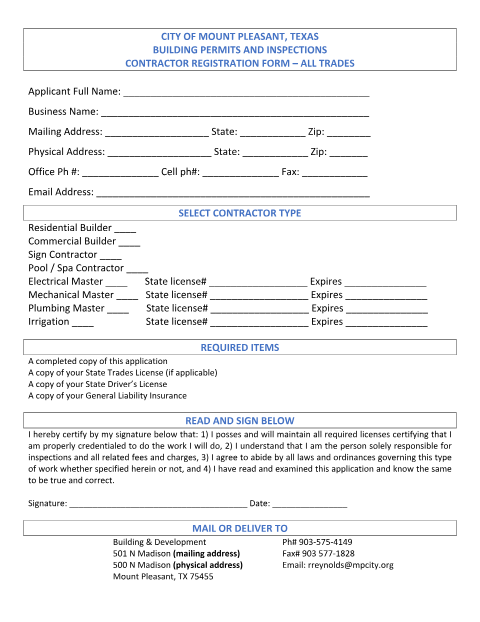
The City of Mount Pleasant Building Permits and Inspections Contractor Registration Form is for contractors registering for all trades. It asks for applicant and business contact details, contractor type, and applicable state license information. The form lists a completed application, state trades license if applicable, state driver’s license, and general liability insurance as required items; the signer certifies licensing, responsibility for inspections and related charges, and compliance with laws and ordinances.
Who needs it
Contractors registering with Mount Pleasant for building permits and inspections should complete this form and provide the listed required items.
How to submit it
Mail or deliver it to Building & Development at 501 N Madison (mailing address) or 500 N Madison (physical address), Mount Pleasant, TX 75455. The form also lists [email protected] and fax 903-577-1828.
About notarization
This document is signed and dated without a notary; it lists no notarized or sworn attachment, so the signer just signs and dates it.
How to submit this form
- 1
Download The Form
Download the Contractor Registration Form for all trades.
- 2
Complete The Form
Fill in applicant and business details, contact information, contractor type, and applicable state license information.
- 3
Gather Required Items
Include a state trades license if applicable, a state driver’s license, and general liability insurance.
- 4
Sign And Submit
Sign and date the form, then mail or deliver it to Building & Development using an address listed on the form.
Frequently asked questions
- Do I need a notary for the Contractor Registration Form?
- No. The form has a signature and date line but no notary block; the signer just signs and dates it.
- How do I submit the Contractor Registration Form?
- Mail or deliver it to Building & Development at the mailing or physical address listed on the form. It also lists an email address and fax number.
- What items are required with this form?
- The form lists a completed application, a state trades license if applicable, a state driver’s license, and general liability insurance.
- What information does the form request?
- It asks for applicant and business details, mailing and physical addresses, contact information, contractor type, and applicable state license numbers and expiration dates.
Need something notarized?
This Contractor Registration Form – All Trades doesn’t need a notary — but Texas residents can notarize other documents online with a commissioned online notary.