
Aurora, TX · Wise County
Preliminary Plat Application & Checklist
The second-stage subdivision application required by the City of Aurora once a Concept Plan is approved, with a notarized owner acknowledgment authorizing the plat submission.
- licensed online notary
- ~15 min average
- Notarized PDF emailed
What you’ll need
- Government-issued photo ID
- Webcam-enabled device (laptop or phone)
- This form, ready to upload as a PDF
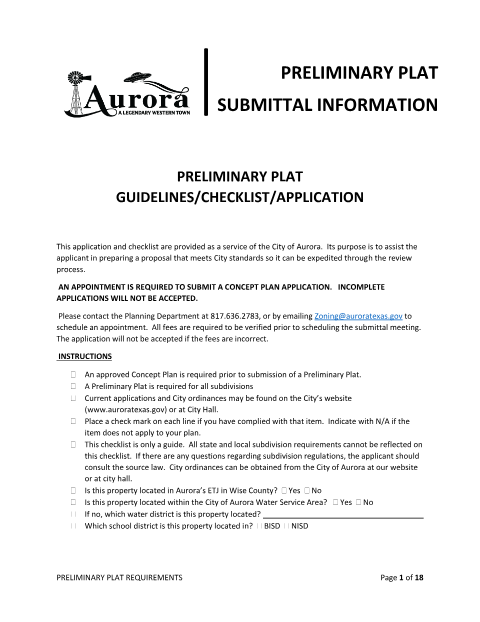
What this form is
After a Concept Plan is approved, the City of Aurora requires a Preliminary Plat Application before it will review a proposed subdivision in detail. The 18-page packet includes submittal requirements and a signature page where the property owner authorizes the application and City inspections. That signature is followed by a full Texas notarial acknowledgment that must be completed before a notary public.
Who needs it
Landowners or developers advancing a subdivision through the City of Aurora's plat review process after an approved Concept Plan.
Why it needs a notary
The owner's signature authorizing the preliminary plat submission and City property inspections must be notarized under a Texas acknowledgment with notary seal and commission expiration.
How to get this notarized
- 1
Download the Form
Get the Preliminary Plat Application & Checklist from the City of Aurora Planning Department.
- 2
Complete the Application
Fill in owner and agent information and confirm all checklist items are satisfied.
- 3
Book an Online Notary Session
Schedule a video session with a commissioned online notary at a time that works for you.
- 4
Sign on Video
Appear on camera with photo ID and sign the owner acknowledgment before the notary.
- 5
Submit to the City
Deliver the notarized application with the required plat sets to the Aurora Planning Department by appointment.
Preview the form
The blank PDF straight from Aurora. Look it over, then upload your filled copy to start the notary session.

You’ll need ID and a webcam.
A licensed online notary will join you on video, verify your government-issued ID, witness your signature, and apply their seal. You’ll receive the notarized PDF by email when the session ends.
Frequently asked questions
- How do I notarize the Aurora Preliminary Plat Application?
- Fill out the owner authorization on the signature page, then book an online notary video session to complete the notarial acknowledgment with valid photo ID.
- Do I need an approved Concept Plan before filing this application?
- Yes, the City of Aurora requires an approved Concept Plan before it will accept a Preliminary Plat Application.
- How many copies of the plat must I submit with this application?
- The City requires fourteen 24-inch by 36-inch collated sets of the preliminary plat along with the signed application, per the submittal instructions.
- Where do I submit the notarized application?
- Submit it by appointment to the City of Aurora Planning Department; check with the city if you are unsure of current submittal requirements.