
Santa Clara, UT · Washington County
On-Premise Alcoholic Beverage License Application
This application is for a business seeking a Santa Clara on-premise alcoholic beverage license and must be completed by the applicant and, when applicable, the business’s partners, members, or corporate officers.
- licensed online notary
- ~15 min average
- Notarized PDF emailed
What you’ll need
- Government-issued photo ID
- Webcam-enabled device (laptop or phone)
- This form, ready to upload as a PDF
What this form is
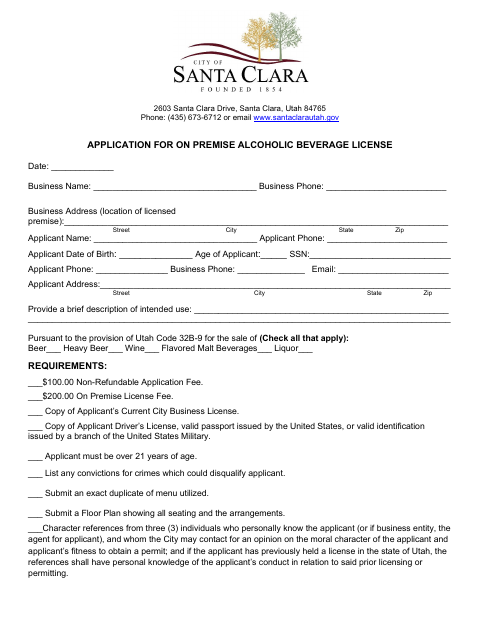
Use this form to apply for a Santa Clara license to sell alcoholic beverages for on-premise consumption. The applicant provides business and personal information, describes the intended use, identifies the beverage types, and certifies compliance with city requirements. The application checklist also calls for supporting materials such as a menu, floor plan, references, location measurements, and a copy of the state application; the city council section is for local consent.
Who needs it
A business seeking a Santa Clara on-premise alcoholic beverage license needs this application, completed by the applicant and, for an entity, the applicable partners, members, or corporate officers.
Why it needs a notary
The form contains sworn-before-me jurat blocks; the applicant and, when applicable, each specified partner, member, or corporate officer signs and swears to the certification before the notary.
How to get this notarized
- 1
Download the Application
Get the Santa Clara On-Premise Alcoholic Beverage License Application.
- 2
Complete the Application
Enter the business and applicant details, intended use, beverage types, and required supporting information.
- 3
Gather Supporting Materials
Use the checklist to assemble the requested documents, including the menu, floor plan, references, measurements, map, and state application.
- 4
Book an Online Notary
Schedule a session with a commissioned online notary for the required sworn certifications.
- 5
Sign on Video
The applicant and any required entity signers complete their jurat blocks during the live online notarization.
- 6
Submit to the City
Submit the completed application and supporting materials to the City of Santa Clara.
Preview the form
The blank PDF straight from Santa Clara. Look it over, then upload your filled copy to start the notary session.

You’ll need ID and a webcam.
A licensed online notary will join you on video, verify your government-issued ID, witness your signature, and apply their seal. You’ll receive the notarized PDF by email when the session ends.
Frequently asked questions
- How do I complete the notarized part of this application?
- Complete the application and required certifications, then sign and swear to the statements before a commissioned online notary. Entity applicants may need additional signers to complete separate jurat blocks.
- Do I need to submit supporting documents with the application?
- The checklist calls for items including a current city business license, identification, menu, floor plan, character references, location measurements and map, and a complete copy of the state application with attachments.
- Can I sign this form with a remote online notary?
- Utah authorizes remote notarization by a commissioned online notary. The signer appears by live audio-video, completes identity verification, and signs during the session.
- Where do I submit the completed application?
- The form identifies the City of Santa Clara and includes its address and phone number, but does not give detailed submission instructions; confirm with the city or county recorder if unsure.