
Occoquan, VA · Prince William County
Site Improvement Performance Agreement
This agreement records a developer’s commitments to construct and maintain improvements shown on an approved plan and is filed with the Town of Occoquan for a subdivision, site, or construction plan.
- licensed online notary
- ~15 min average
- Notarized PDF emailed
What you’ll need
- Government-issued photo ID
- Webcam-enabled device (laptop or phone)
- This form, ready to upload as a PDF
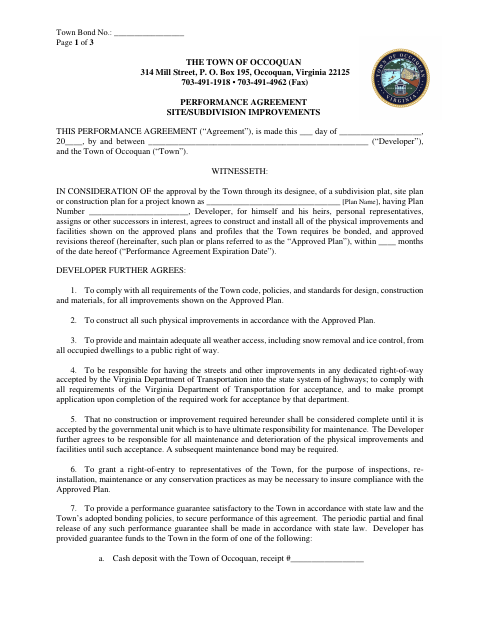
What this form is
The developer agrees to complete required improvements shown on the approved plan, provide a performance guarantee, and meet other obligations until the responsible government agency accepts the work. The Town uses the agreement in connection with approval of a subdivision plat, site plan, or construction plan. It identifies the developer, project, guarantee, and authorized signers, and includes acknowledgment sections for both the developer and the Town.
Who needs it
A developer with a subdivision plat, site plan, or construction plan requiring bonded improvements for Town approval needs to complete this agreement.
Why it needs a notary
The form has acknowledgment blocks for both the developer and the Town; each person signing for a party must acknowledge the signature before a notary.
How to get this notarized
- 1
Download the Agreement
Download the Site Improvement Performance Agreement from the Town of Occoquan.
- 2
Fill In the Agreement
Complete the project, developer, guarantee, and authorized signer details.
- 3
Book an Online Notary
Arrange an online notarization for the acknowledgment sections that apply to the signers.
- 4
Sign on Video
Each signer acknowledges their signature with the notary during the online session.
- 5
Submit to the Town
Follow the Town of Occoquan’s instructions to submit the completed agreement.
Preview the form
The blank PDF straight from Occoquan. Look it over, then upload your filled copy to start the notary session.

You’ll need ID and a webcam.
A licensed online notary will join you on video, verify your government-issued ID, witness your signature, and apply their seal. You’ll receive the notarized PDF by email when the session ends.
Frequently asked questions
- How do I complete the Site Improvement Performance Agreement?
- Enter the developer, project, plan, guarantee, and signer details. The authorized signers complete their acknowledgment sections before a notary, then submit the agreement to the Town.
- Do I need a notary for this agreement?
- Yes. The form includes acknowledgment blocks for both the developer and the Town, with spaces for the notary’s signature, commission expiration, and identification number.
- Can I sign this agreement with an online notary?
- Virginia is widely credited as the first U.S. state to authorize remote online notarization, effective July 1, 2012. A commissioned online notary can notarize a signature by video; confirm the Town’s submission requirements.
- Who may sign for the developer?
- The form says an authorized person must sign. It identifies partners, corporate presidents or vice presidents, and LLC members or managers as people with authority to bind an organization; a representative signer must furnish notarized evidence of authority.
- Where do I submit the completed agreement?
- The agreement is between the developer and the Town of Occoquan. Contact the Town about its submission process; confirm with the city, town, or county if unsure.