
Paradise Valley, AZ · Maricopa County
Release And Indemnity Agreement
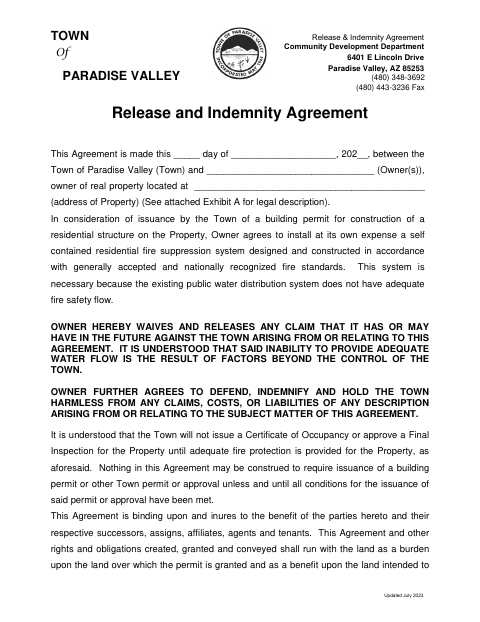
This agreement documents a property owner's release and indemnity commitments to the Town of Paradise Valley when seeking a building permit for a residential structure requiring a fire suppression system.
- licensed online notary
- ~15 min average
- Notarized PDF emailed
What you’ll need
- Government-issued photo ID
- Webcam-enabled device (laptop or phone)
- This form, ready to upload as a PDF
What this form is
The agreement covers a property owner's commitment to install a self-contained residential fire suppression system because the public water system lacks adequate fire safety flow. It also sets out the owner's release and indemnity commitments to the Town and explains that adequate fire protection is required before a Certificate of Occupancy or Final Inspection approval. The document must be properly recorded in the county where the property is located.
Who needs it
Property owners seeking a Paradise Valley building permit for a residential structure on property requiring a self-contained fire suppression system need to complete this agreement.
Why it needs a notary
The form carries an acknowledgment block; each owner signing the agreement must appear before the notary and acknowledge signing it.
How to get this notarized
- 1
Download The Agreement
Download the Release and Indemnity Agreement from the Town of Paradise Valley.
- 2
Fill In The Agreement
Enter the agreement date, owner names, property address, and other requested details.
- 3
Book An Online Notary
Schedule a live audio-video session with a commissioned online notary.
- 4
Sign On Video
Appear before the notary and acknowledge your signature during the session.
- 5
Submit To The Town
Submit the completed agreement to the Town and arrange for recording in the county where the property is located.
Preview the form
The blank PDF straight from Paradise Valley. Look it over, then upload your filled copy to start the notary session.

You’ll need ID and a webcam.
A licensed online notary will join you on video, verify your government-issued ID, witness your signature, and apply their seal. You’ll receive the notarized PDF by email when the session ends.
Frequently asked questions
- How do I complete and notarize this agreement?
- Fill in the agreement and property details, then book a live audio-video session with a commissioned online notary. Sign and acknowledge the document during the session, then submit it as required.
- Do I need to sign this agreement before a notary?
- Yes. The form includes an acknowledgment block stating that the signer appeared before a notary and acknowledged signing the document.
- Can I use an online notary for this form?
- Arizona has authorized remote online notarization for its own notaries since July 2020 (A.R.S. §41-371 et seq.) and recognizes notarial acts by notaries of other states (A.R.S. §33-501). Rush Notary sessions are held over live audio-video with a commissioned online notary.
- Where must this agreement be recorded?
- The form states that it must be properly recorded in the county where the property is located. Confirm filing or recording details with the Town or county if unsure.