
Westminster, CO · Adams County
Partnership Liquor License Application
This partnership liquor license application checklist and consent form guides partnership applicants through documents Westminster requires for a liquor or beer license.
- licensed online notary
- ~15 min average
- Notarized PDF emailed
What you’ll need
- Government-issued photo ID
- Webcam-enabled device (laptop or phone)
- This form, ready to upload as a PDF
What this form is
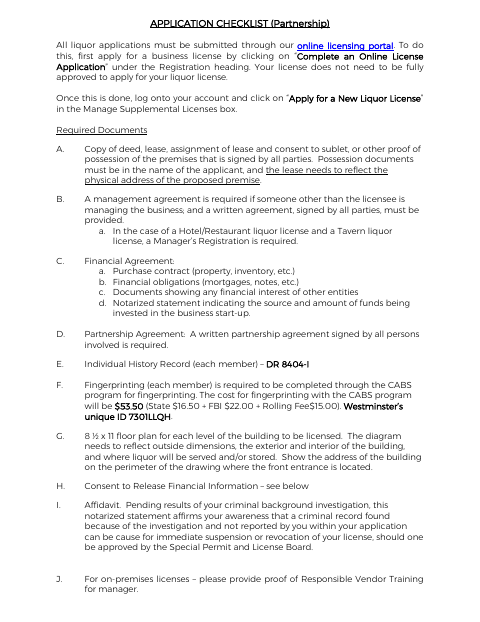
The checklist explains the documents a partnership must submit through Westminster’s online licensing portal for a liquor license, including possession, financial, partnership, and applicant history materials. It also identifies a notarized statement about start-up funds and an affidavit concerning criminal background investigation disclosures. The consent form authorizes release of partnership financial information for the licensing investigation; a temporary permit application is described separately for transfers of ownership.
Who needs it
Partnerships applying for a Westminster liquor or beer license should use this checklist and complete the consent form as part of their application materials.
Why it needs a notary
The consent form carries a state-and-county notarial block with a commission-expiration line; the applicant associated with the partnership signs before the notary.
How to get this notarized
- 1
Download The Form
Download Westminster’s partnership liquor license checklist and consent to release partnership financial information.
- 2
Review And Fill In The Form
Complete the applicant details and gather the required partnership, financial, possession, and other checklist documents.
- 3
Book An Online Notary
Book a commissioned online notary for the consent form and any checklist statements requiring notarization.
- 4
Sign On Video
Sign the consent form during the online notary session and follow the notary’s instructions for the notarial block.
- 5
Submit To The City
Submit the notarized form and required application documents through Westminster’s online licensing portal.
Preview the form
The blank PDF straight from Westminster. Look it over, then upload your filled copy to start the notary session.

You’ll need ID and a webcam.
A licensed online notary will join you on video, verify your government-issued ID, witness your signature, and apply their seal. You’ll receive the notarized PDF by email when the session ends.
Frequently asked questions
- How do I complete the partnership consent form?
- Complete the applicant information and sign the consent form before a commissioned online notary. Submit it with the other documents required by Westminster’s licensing checklist.
- Do I need to notarize every document in the checklist?
- The checklist specifically calls for a notarized statement about the source and amount of start-up funds and a notarized affidavit. The consent form also includes a notarial block.
- Can I sign the consent form with an online notary?
- Colorado authorizes its notaries to perform remote online notarizations under C.R.S. §24-21-514.5. Confirm with the city or town if unsure whether the completed form meets its submission requirements.
- Where do I submit the application materials?
- The checklist says liquor applications must be submitted through Westminster’s online licensing portal. It directs applicants to apply for a business license first, then apply for a new liquor license in their account.