
Glen Cove, NY · Nassau County
Zoning Board of Appeals Affidavit of Posting
This affidavit records when and how an applicant or authorized representative posted a notice on property involved in a Glen Cove Zoning Board of Appeals application.
- licensed online notary
- ~15 min average
- Notarized PDF emailed
What you’ll need
- Government-issued photo ID
- Webcam-enabled device (laptop or phone)
- This form, ready to upload as a PDF
What this form is
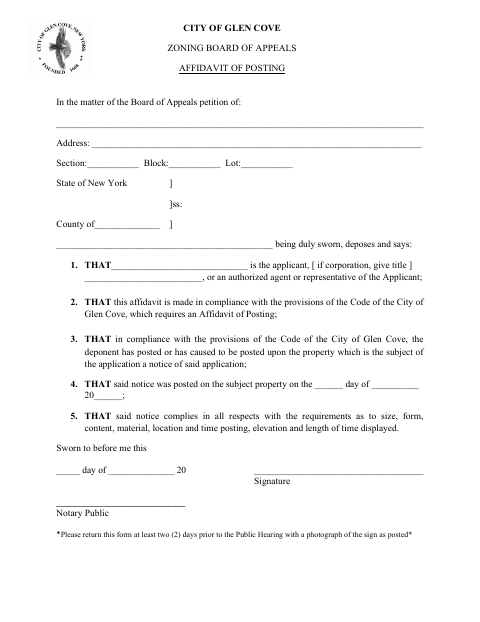
The affidavit states that the applicant or an authorized agent posted the application notice on the subject property and that the notice met the listed requirements for size, form, content, material, location, elevation, and display time. Glen Cove’s form says to return it at least two days before the public hearing and include a photograph of the posted sign. It also identifies the petition, property address, and section, block, and lot.
Who needs it
A Zoning Board of Appeals applicant, or an authorized agent or representative, completes this affidavit after posting the required application notice on the property.
Why it needs a notary
The form contains a sworn-to-before-me jurat; the applicant or authorized agent or representative named as the deponent signs the statement before the notary.
How to get this notarized
- 1
Download the Form
Get the Glen Cove Zoning Board of Appeals Affidavit of Posting.
- 2
Fill In the Details
Enter the petition and property information, identify the applicant or authorized representative, and record when the notice was posted.
- 3
Book an Online Notary
Arrange a remote notarization with a commissioned online notary.
- 4
Sign on Video
Make the sworn statement and sign before the notary during the online session.
- 5
Submit to the City
Return the notarized affidavit with a photograph of the posted sign at least two days before the public hearing.
Preview the form
The blank PDF straight from Glen Cove. Look it over, then upload your filled copy to start the notary session.

You’ll need ID and a webcam.
A licensed online notary will join you on video, verify your government-issued ID, witness your signature, and apply their seal. You’ll receive the notarized PDF by email when the session ends.
Frequently asked questions
- How do I submit the Affidavit of Posting?
- Complete and notarize the affidavit, attach a photograph of the sign as posted, and return both at least two days before the public hearing, as the form instructs.
- Do I need to include a photograph?
- Yes. The form says to return the affidavit with a photograph of the sign as posted.
- Can I sign this affidavit with a commissioned online notary?
- New York authorizes its notaries to perform remote online notarization under Executive Law §135-c, effective in 2023. Confirm the receiving office’s submission requirements if you plan to notarize remotely.
- Who signs the affidavit?
- The form identifies the applicant or an authorized agent or representative as the deponent. That person makes the sworn statement and signs before the notary.
- What if I am unsure about the filing deadline or attachments?
- The form asks for submission at least two days before the public hearing and a sign photograph. Confirm with the city, town or village if unsure.
Other forms in Glen Cove
Fellow Plumber or Employer’s Affidavit for Plumbers License
Glen Cove
Affidavit of Footings, Foundations and Existing Support Systems
Glen Cove
Planning Board Affidavit of Posting
Glen Cove
Planning Board Affidavit of Service by Mail
Glen Cove
Planning Board Disclosure Affidavit
Glen Cove
Planning Board Site Plan Application
Glen Cove
Zoning Board of Appeals Affidavit of Posting in other New York cities
Each city publishes its own version of this form. Pick the city where you’re filing.