
New Hempstead, NY · Rockland County
Homeowner’s Contract Waiver
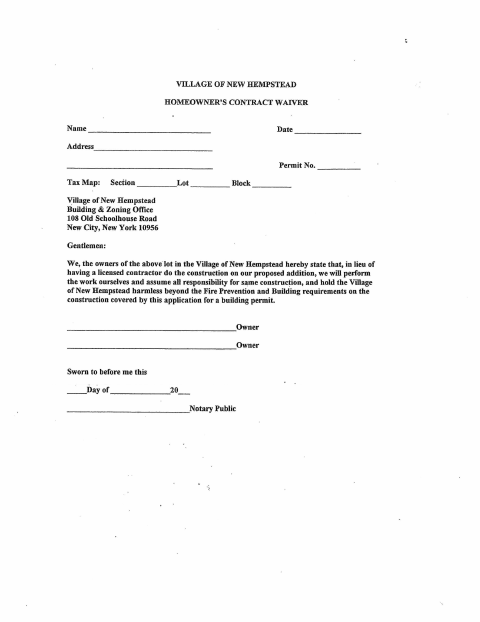
This waiver lets property owners state they will perform construction on a proposed addition themselves and accept responsibility, for submission with a Village of New Hempstead building permit application.
- licensed online notary
- ~15 min average
- Notarized PDF emailed
What you’ll need
- Government-issued photo ID
- Webcam-enabled device (laptop or phone)
- This form, ready to upload as a PDF
What this form is
The waiver identifies the property and permit and records the owners’ decision to do the construction themselves instead of hiring a licensed contractor. By signing, owners accept responsibility for the work and agree to hold the Village harmless beyond its fire prevention and building requirements for construction covered by the permit application. The Village’s Building & Zoning Office receives the form as part of the building permit process for a proposed addition.
Who needs it
Property owners applying for a Village of New Hempstead building permit for a proposed addition they plan to construct themselves instead of hiring a licensed contractor.
Why it needs a notary
The form has a sworn-to-before-me jurat; the owner or owners named on it must swear to the statement and sign before the notary.
How to get this notarized
- 1
Download the Waiver
Get the Homeowner’s Contract Waiver from the Village of New Hempstead.
- 2
Complete the Form
Enter the property and permit details and review the statement about doing the construction yourself.
- 3
Book an Online Notary
Schedule a live video session with a commissioned online notary.
- 4
Swear and Sign on Video
Swear to the statement and sign in the notary’s presence during the online session.
- 5
Submit to the Village
Send the notarized waiver to the Village of New Hempstead Building & Zoning Office with your building permit application.
Preview the form
The blank PDF straight from New Hempstead. Look it over, then upload your filled copy to start the notary session.

You’ll need ID and a webcam.
A licensed online notary will join you on video, verify your government-issued ID, witness your signature, and apply their seal. You’ll receive the notarized PDF by email when the session ends.
Frequently asked questions
- How do I notarize the Homeowner’s Contract Waiver online?
- Complete the form, then meet with a commissioned online notary by live video. Swear to the statement and sign when directed; submit the notarized waiver with your building permit application.
- Do I need to sign the waiver in front of a notary?
- Yes. The form includes a sworn-to-before-me jurat, so the owner or owners must swear to the statement and sign before the notary.
- Can I use an online notary for this New York form?
- New York authorizes remote online notarization by its commissioned notaries under Executive Law §135-c, effective in 2023. A commissioned online notary can notarize your signature in a live video session.
- Where do I submit the completed waiver?
- The form is addressed to the Village of New Hempstead Building & Zoning Office and is associated with a building permit application. Confirm with the city, town or village if unsure about submission details.