
Pilot Point, TX · Denton County
Special Use Permit Checklist and Application
This application and checklist are for owners or authorized agents requesting a special use permit and submitting project details and supporting materials to Pilot Point.
- licensed online notary
- ~15 min average
- Notarized PDF emailed
What you’ll need
- Government-issued photo ID
- Webcam-enabled device (laptop or phone)
- This form, ready to upload as a PDF
What this form is
Use this form to request a special use permit and provide project information, contact details, a letter of intent, and responses to the city’s listed approval conditions. The checklist identifies submittal items, including a site plan and PDFs of required documents. The city uses the checklist to assess completeness; missing, inaccurate, or incomplete information can prevent the case from being scheduled for a Planning and Zoning Commission meeting unless the Development Services Director waives requirements.
Who needs it
A property owner or the owner’s authorized agent requesting a special use permit in Pilot Point should complete the application and its checklist.
Why it needs a notary
The application carries a Texas state jurat; the applicant signs the sworn certification before a notary public, who completes the jurat.
How to get this notarized
- 1
Download The Application
Get the Special Use Permit Checklist and Application from the City of Pilot Point.
- 2
Fill In The Form
Complete the project and contact information, sworn certification, letter of intent, and checklist responses.
- 3
Book An Online Notary
Arrange a remote appointment with a commissioned online notary for the application’s jurat.
- 4
Sign On Video
Sign the applicant certification during the video session so the notary can complete the jurat.
- 5
Submit To The City
Submit the notarized application with the checklist items and supporting materials to Pilot Point.
Preview the form
The blank PDF straight from Pilot Point. Look it over, then upload your filled copy to start the notary session.

You’ll need ID and a webcam.
A licensed online notary will join you on video, verify your government-issued ID, witness your signature, and apply their seal. You’ll receive the notarized PDF by email when the session ends.
Frequently asked questions
- How do I complete the notarized application?
- Fill in the applicant and project information, then sign the sworn certification during a notary appointment. Include the checklist and required submittal materials when filing with the city.
- Do I need to sign the application in front of a notary?
- Yes. The application includes a sworn certification and a jurat stating it is subscribed and sworn before a notary public. Sign the certification in the notary’s presence.
- Can I use a commissioned online notary?
- Texas has authorized remote online notarization since 2018. You can sign the application during a video session with a commissioned online notary; confirm with the city if unsure.
- What should I submit with the application?
- The checklist calls for a fee, application, checklist, two 11-by-17-inch site plan copies, PDFs of required documents, and a letter of intent. Review the form for all listed items.
Other forms in Pilot Point
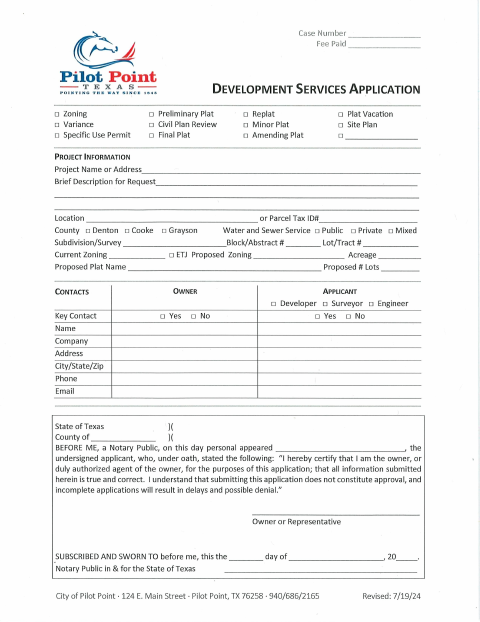
Development Services Application (Zoning, Variance, Plat & Site Plan)
Pilot Point
Voluntary Annexation Application
Pilot Point
Civil Plan Review Checklist and Application
Pilot Point
Plat Checklist and Application
Pilot Point
Site Plan Checklist And Application
Pilot Point
Variance Checklist and Application
Pilot Point