
Lampasas, TX · Lampasas County
Candidate/Officeholder Campaign Finance Report
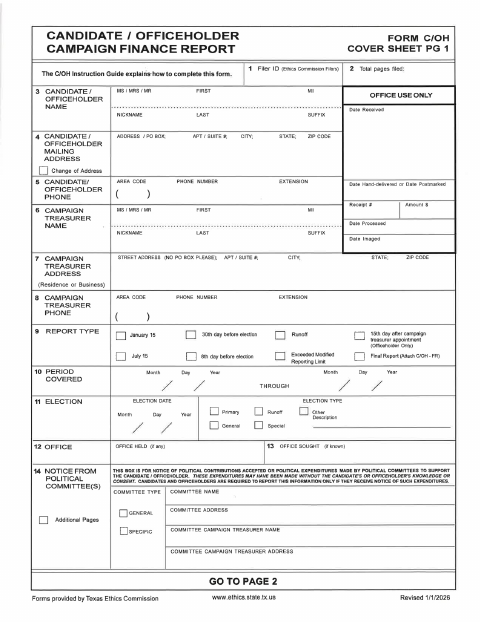
This campaign finance report records a candidate’s or officeholder’s campaign activity and is filed by candidates or officeholders who must report political contributions, expenditures, and related balances.
At a glance
- Issued by
- City of Lampasas · Lampasas, Lampasas County, Texas
- Notarization
- Required: sign this form in front of a notary before filing it.
- Official source
- lampasas.org
- Blank form
- Download the PDF
- Catalogued
- Machine-readable
- JSON record · about the forms index
- licensed online notary
- ~15 min average
- Notarized PDF emailed
What you’ll need
- Government-issued photo ID
- Webcam-enabled device (laptop or phone)
- This form, ready to upload as a PDF
What this form is
The report collects filer and election details, campaign finance totals, and supporting schedules for contributions, loans, expenditures, and other activity. The form’s signature page offers two alternatives: an affidavit signed before an officer administering an oath, or an unsworn declaration. The form text does not identify a city-specific filing deadline or filing location, so check the applicable filing instructions before submitting it.
Who needs it
A candidate or officeholder who must report political contributions, expenditures, loans, or related campaign finance activity uses this form.
How to get this notarized
- 1
Download The Report
Get the Candidate/Officeholder Campaign Finance Report and review its instructions and signature options.
- 2
Complete The Form
Enter filer, election, finance, and applicable schedule information. Select the affidavit or unsworn declaration option.
- 3
- 4
- 5
Submit The Report
Follow the applicable filing instructions to submit the completed report and any required schedules.
Preview the form
The blank PDF straight from Lampasas. Look it over, then upload your filled copy to start the notary session.

You’ll need ID and a webcam.
A licensed online notary will join you on video, verify your government-issued ID, witness your signature, and apply their seal. You’ll receive the notarized PDF by email when the session ends.
Frequently asked questions
- How do I notarize the affidavit option online?
- Choose the affidavit option, complete the report, and book an online appointment. Sign during the video session before a commissioned online notary administers the oath and completes the jurat.
- Do I need a notary for this campaign finance report?
- Not necessarily. The signature page provides an affidavit option requiring an oath before an officer administering it, or an unsworn declaration option. Check the filing instructions to confirm which option applies.
- Can I use remote online notarization for the affidavit?
- Texas has authorized remote online notarization since 2018 under Government Code Chapter 406, Subchapter C. A commissioned online notary can administer the oath during a video session.
- Where do I file the completed report?
- The provided form text does not specify a city filing location or deadline. Check the applicable filing instructions and confirm with the city if unsure.
Candidate/Officeholder Campaign Finance Report in other Texas cities
Each city publishes its own version of this form. Pick the city where you’re filing.