
Goodyear, AZ · Maricopa County
Land Management Final Plat Submittal Checklist
This checklist helps applicants prepare a City of Goodyear Final Plat application for right-of-way or easement dedication and land subdivision.
What this form is
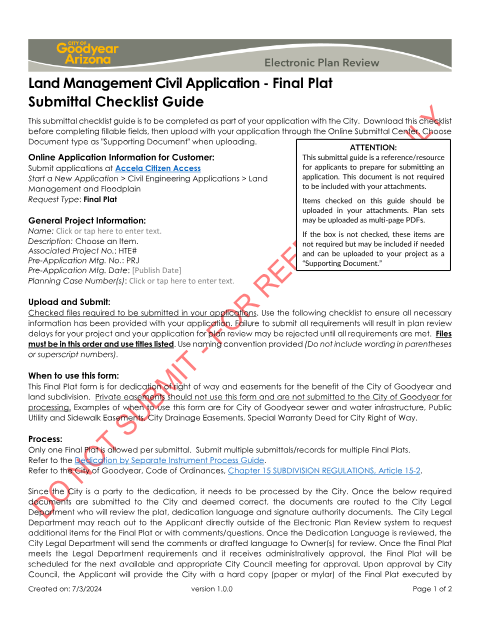
Use this checklist with a City of Goodyear application for a Final Plat dedicating right of way or easements for the City and for land subdivision. It identifies required application details and supporting documents, including a narrative, title commitment, and plat. The guide says private easements should not use this process and explains that one Final Plat is allowed per submittal.
Who needs it
Applicants submitting a Final Plat for City-benefit right-of-way or easement dedication or land subdivision should use this checklist with their application.
How to submit it
Submit the application through Accela Citizen Access under Civil Engineering Applications > Land Management and Floodplain, with request type Final Plat. Upload the checklist through the Online Submittal Center as a Supporting Document, along with the required files.
About notarization
This checklist has no notary requirement; the document mentions owner and lender signatures on the final plat, but does not say those signatures must be notarized.
How to submit this form
- 1
Download The Checklist
Download the Land Management Final Plat Submittal Checklist before completing the application.
- 2
Complete Application Details
Enter the project name, description, associated project number, pre-application meeting details, and planning case numbers as applicable.
- 3
Gather Required Documents
Prepare the required files listed in the guide and use the specified file order, titles, and naming convention.
- 4
Submit To The City
Submit through Accela Citizen Access under the stated application path and upload the checklist as a Supporting Document through the Online Submittal Center.
Frequently asked questions
- Do I need a notary for the Final Plat checklist?
- No. The checklist has no notary requirement. It mentions owner and lender signatures on the final plat but does not say those signatures must be notarized.
- How do I submit the Final Plat application?
- Apply through Accela Citizen Access under Civil Engineering Applications > Land Management and Floodplain, with request type Final Plat. Upload the checklist as a Supporting Document through the Online Submittal Center.
- What documents does the checklist identify?
- The checklist identifies a submittal checklist, AutoCAD file, dedication language, narrative, signature authority document, title commitment, ALTA document, and Final Plat.
Need something notarized?
This Land Management Final Plat Submittal Checklist doesn’t need a notary — but if you have another Goodyear form that does, a commissioned online notary can help.