
Woodside, CA · San Mateo County
Application for Site Development Permit
Property applicants use this form to request a Site Development Permit from the Town of Woodside and describe proposed site work.
What this form is
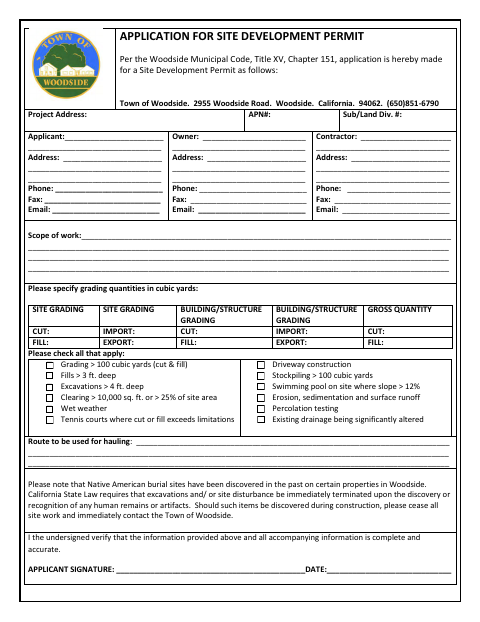
This application requests a Site Development Permit from the Town of Woodside. It collects the project address and parcel details, applicant, owner, and contractor contact information, the scope of work, grading quantities, applicable site conditions, and the hauling route. The applicant verifies that the information provided and accompanying information is complete and accurate by signing and dating the form.
Who needs it
Applicants seeking a Site Development Permit for work in Woodside should complete the form with project, contact, and site-work details.
How to submit it
Submit it to the city department named on the form; check the city website for current contact details.
About notarization
This document is signed without a notary; the applicant signs and dates the form, and it does not specify a notarized attachment or related step.
How to submit this form
- 1
Download The Application
Download the Site Development Permit application for Woodside.
- 2
Complete The Form
Enter the project, applicant, owner, contractor, scope-of-work, grading, site-condition, and hauling-route information requested.
- 3
Gather Accompanying Information
Include any accompanying information referenced in the applicant's verification.
- 4
Sign And Date
Sign and date the form to verify that the information provided is complete and accurate.
- 5
Submit To The Town
Submit it to the city department named on the form; check the city website for current contact details.
Frequently asked questions
- What is the Site Development Permit application for?
- It requests a Site Development Permit from the Town of Woodside and gathers project, contact, scope-of-work, grading, and site-condition details.
- Who fills out this application?
- The applicant seeking a Site Development Permit completes the form with project information and contact details for the applicant, owner, and contractor.
- Do I need a notary for the Site Development Permit application?
- No. The applicant signs and dates this document without a notary. It does not specify a notarized attachment or related step.
- How do I submit the Site Development Permit application?
- Submit it to the city department named on the form; check the city website for current contact details.
Need something notarized?
This Application for Site Development Permit doesn’t need a notary — but if you have another Woodside form that does, a commissioned online notary can help.