
Hogansville, GA · Troup County
Owner Authorization Form
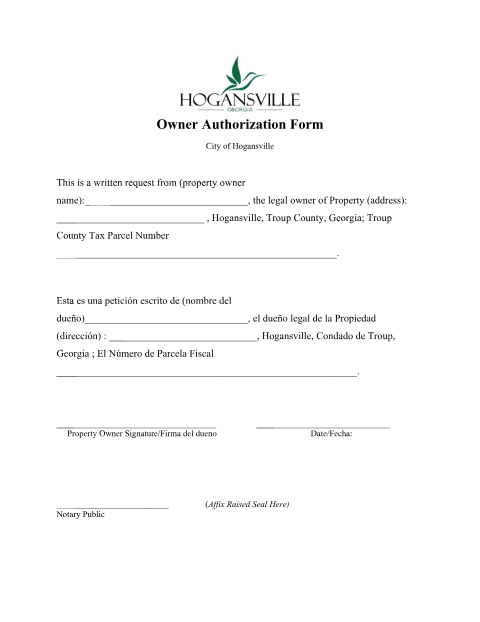
A notarized bilingual form a Hogansville property owner signs to authorize a request related to their property, such as a zoning or planning application.
- licensed online notary
- ~15 min average
- Notarized PDF emailed
What you’ll need
- Government-issued photo ID
- Webcam-enabled device (laptop or phone)
- This form, ready to upload as a PDF
What this form is
The City of Hogansville's Planning & Zoning office requires this form when a property owner needs to formally authorize a written request tied to their property, such as an annexation, lot split, or zoning matter. The owner's signature must be notarized with a raised seal before the city accepts the request.
Who needs it
Hogansville property owners submitting a written request related to their property through Planning & Zoning.
Why it needs a notary
The form's signature line is immediately followed by '(Affix Raised Seal Here) Notary Public,' requiring the owner's signature to be notarized with a physical or equivalent notarial seal.
How to get this notarized
- 1
Download the Form
Get the Owner Authorization Form from Hogansville's Planning & Zoning page.
- 2
Fill It Out
Enter the property owner's name, property address, and tax parcel number.
- 3
Book Online Notary
Schedule a remote online notarization session.
- 4
Sign on Video
Verify your ID and sign the form live on camera.
- 5
Submit to the City
File the notarized form with Hogansville Planning & Zoning.
Preview the form
The blank PDF straight from Hogansville. Look it over, then upload your filled copy to start the notary session.

You’ll need ID and a webcam.
A licensed online notary will join you on video, verify your government-issued ID, witness your signature, and apply their seal. You’ll receive the notarized PDF by email when the session ends.
Frequently asked questions
- Do I need a notary for the Hogansville Owner Authorization Form?
- Yes, the form has a dedicated notary seal line right after the property owner's signature.
- How do I get this form notarized online?
- Upload the completed form, verify your ID, and sign it live in front of a remote online notary.
- Is this form available in Spanish?
- Yes, the City of Hogansville provides the form in both English and Spanish on the same page.
- What is this form used for?
- It authorizes a written request tied to your property, such as an annexation, lot split, or zoning application; check with Planning & Zoning if unsure which request applies.