
Hogansville, GA · Troup County
Third Party Authorization Form
A notarized form a Hogansville property owner signs to let someone else act as their agent on a planning or zoning request.
- licensed online notary
- ~15 min average
- Notarized PDF emailed
What you’ll need
- Government-issued photo ID
- Webcam-enabled device (laptop or phone)
- This form, ready to upload as a PDF
What this form is
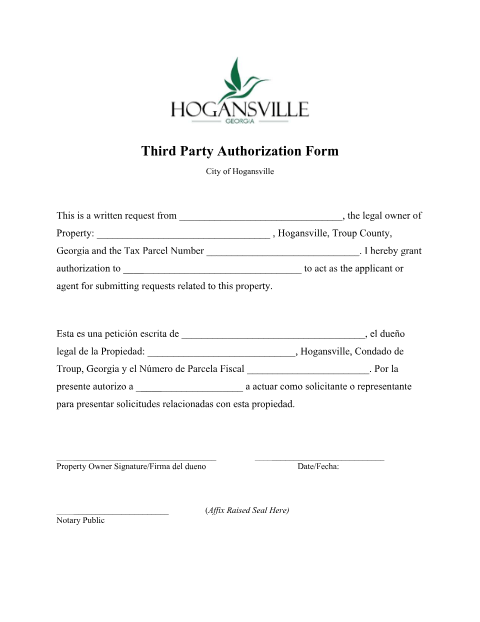
When a Hogansville property owner wants an agent, applicant, or representative to submit planning and zoning requests on their behalf, the city requires this notarized authorization naming the property, the owner, and the authorized third party.
Who needs it
Hogansville property owners who want an agent or representative to file requests on their behalf.
Why it needs a notary
The form's signature line is followed by '(Affix Raised Seal Here) Notary Public,' the same notarial seal requirement as the city's Owner Authorization Form.
How to get this notarized
- 1
Download the Form
Get the Third Party Authorization Form from Hogansville's Planning & Zoning page.
- 2
Fill It Out
Enter the property owner, property, tax parcel number, and the third party's name.
- 3
Book Online Notary
Schedule a remote online notarization session.
- 4
Sign on Video
Verify your ID and sign the authorization live on camera.
- 5
Submit to the City
File the notarized authorization with Hogansville Planning & Zoning.
Preview the form
The blank PDF straight from Hogansville. Look it over, then upload your filled copy to start the notary session.

You’ll need ID and a webcam.
A licensed online notary will join you on video, verify your government-issued ID, witness your signature, and apply their seal. You’ll receive the notarized PDF by email when the session ends.
Frequently asked questions
- Do I need a notary for the Third Party Authorization Form?
- Yes, the property owner's signature must be notarized with a raised seal before the city will accept requests from the named third party.
- How do I notarize this form online?
- Upload the completed form, verify your ID, and sign it live in front of a remote online notary.
- What can my authorized third party do?
- They can act as the applicant or agent for submitting requests related to your property, as named on the form.
- Is this different from the Owner Authorization Form?
- Yes, this form specifically names a third-party agent; check with Hogansville Planning & Zoning if unsure which one you need.