
Oak Grove, MO · Jackson County
Site Plan and Design Review Application
This application requests City of Oak Grove site plan and design review for development projects, and is filed by the applicant or property owner with the Zoning Officer.
- licensed online notary
- ~15 min average
- Notarized PDF emailed
What you’ll need
- Government-issued photo ID
- Webcam-enabled device (laptop or phone)
- This form, ready to upload as a PDF
What this form is
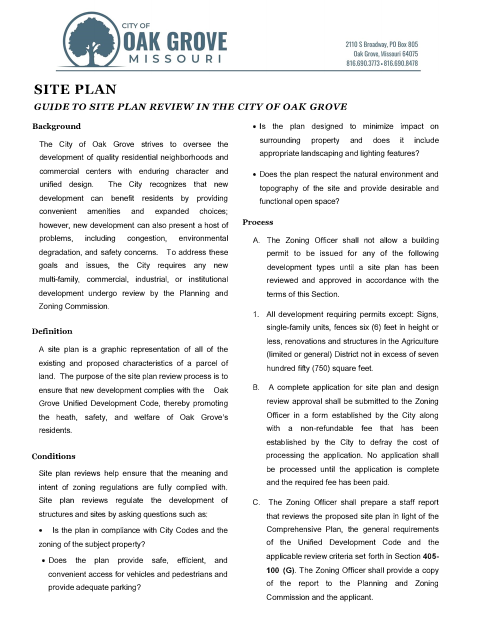
Oak Grove uses this application to review proposed site development and design for compliance with city requirements, including access, parking, landscaping, drainage, and building design. The guide says certain development projects need site plan approval before a building permit can be issued; applicants submit a complete application, plans, required supporting materials, and the filing fee by the stated deadline.
Who needs it
Applicants or property owners proposing development that requires site plan review submit this application and supporting plans to Oak Grove’s Zoning Officer.
How to get this notarized
- 1
Download the Application
Download the site plan and design review application and guide from the City of Oak Grove.
- 2
Complete the Form
Fill in the project and applicant details, prepare the required plans and supporting materials, and identify the declarations that apply.
- 3
Book an Online Notary
Schedule an online session with a commissioned online notary for the sworn application statements and ownership affidavit.
- 4
Sign on Video
Show identification and sign the applicable jurat sections while the notary observes by video.
- 5
Submit to the City
Submit the notarized application, required plans, supporting documents, and filing fee to the Zoning Officer by the filing deadline.
Preview the form
The blank PDF straight from Oak Grove. Look it over, then upload your filled copy to start the notary session.

You’ll need ID and a webcam.
A licensed online notary will join you on video, verify your government-issued ID, witness your signature, and apply their seal. You’ll receive the notarized PDF by email when the session ends.
Frequently asked questions
- How do I complete the notarized parts of this application?
- Complete the relevant application statements and ownership affidavit, then sign the applicable signature lines during your online notary session. Submit the completed application and required plans to the Zoning Officer.
- Do I need to notarize both the application and ownership affidavit?
- The application includes jurats for the applicant and owner declarations, plus a separate sworn ownership affidavit. Check which statements apply to your filing and confirm with the city or town if unsure.
- Can I sign this form with an online notary?
- Missouri authorizes its notaries to perform remote online notarizations under RSMo §486.1100 to §486.1205. A commissioned online notary can guide you through signing the jurat portions by video.
- What else must I submit with the application?
- The guide lists required plans, digital plan files, a fee, and proof of ownership or an owner consent form. Storm water calculations and a traffic impact analysis may also be required.