
Pawtucket, RI · Providence County
Homeowner’s Affidavit
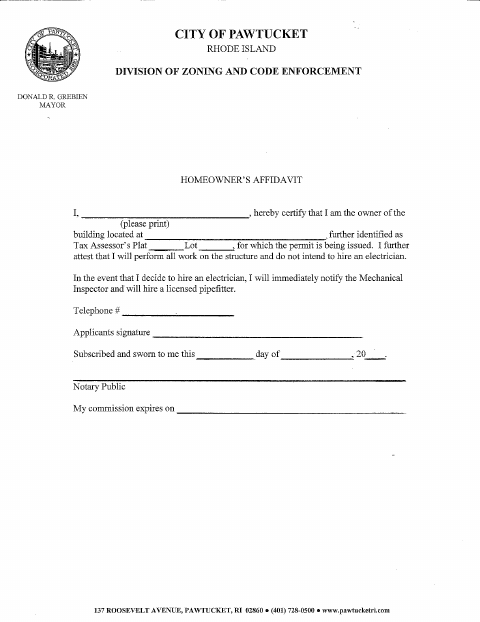
This affidavit identifies the property owner and states that the owner will perform the work on the structure without hiring an electrician, for a permit being issued by Pawtucket.
At a glance
- Issued by
- City of Pawtucket · Pawtucket, Providence County, Rhode Island
- Notarization
- Required: sign this form in front of a notary before filing it.
- Official source
- pawtucketri.gov
- Blank form
- Download the PDF
- Catalogued
- Machine-readable
- JSON record · about the forms index
- licensed online notary
- ~15 min average
- Notarized PDF emailed
What you’ll need
- Government-issued photo ID
- Webcam-enabled device (laptop or phone)
- This form, ready to upload as a PDF
What this form is
The homeowner’s affidavit identifies the owner and the building by its address and Tax Assessor’s Plat and Lot. The owner attests that they will perform all work on the structure and do not intend to hire an electrician. If they decide to hire one, they agree to notify the Mechanical Inspector immediately and hire a licensed pipefitter. The form refers to the permit being issued.
Who needs it
A property owner named on a permit for the building must complete the affidavit if the owner will perform all work on the structure.
How to get this notarized
- 1
Download The Affidavit
Get the Homeowner’s Affidavit from Pawtucket’s Division of Zoning and Code Enforcement.
- 2
Fill In The Form
Print your name and enter the building address and Tax Assessor’s Plat and Lot; review the owner attestations.
- 3
Book An Online Notary
Arrange an appointment with a commissioned online notary for the sworn affidavit.
- 4
Sign On Video
Sign and swear or affirm the affidavit during the online notarization.
- 5
Submit To The City
Submit the notarized form for the permit through the city’s stated process.
Preview the form
The blank PDF straight from Pawtucket. Look it over, then upload your filled copy to start the notary session.

You’ll need ID and a webcam.
A licensed online notary will join you on video, verify your government-issued ID, witness your signature, and apply their seal. You’ll receive the notarized PDF by email when the session ends.
Frequently asked questions
- How do I complete the homeowner’s affidavit?
- Print your name, identify the building address and Tax Assessor’s Plat and Lot, and complete the affidavit. Sign and swear to it before the notary, then submit it for the permit.
- Do I need to sign the affidavit in front of a notary?
- Yes. The form includes a subscribed-and-sworn jurat, so the homeowner must sign and swear or affirm the statements before a notary.
- Can I sign this form with an online notary?
- Rhode Island law authorizes remote online notarization by a commissioned online notary under R.I. Gen. Laws §§42-30.1-12.1 and 42-30.1-12.2. Confirm the city’s submission requirements if needed.
- Where should I submit the completed form?
- The form is from Pawtucket’s Division of Zoning and Code Enforcement and concerns a permit. For submission details, confirm with the city or town clerk if unsure.