
Eloy, AZ · Pinal County
Preliminary Plat Application and Submittal Checklist
This application and checklist help property owners and developers submit a preliminary subdivision plat to Eloy Community Development with the information and materials required for review.
- licensed online notary
- ~15 min average
- Notarized PDF emailed
What you’ll need
- Government-issued photo ID
- Webcam-enabled device (laptop or phone)
- This form, ready to upload as a PDF
What this form is
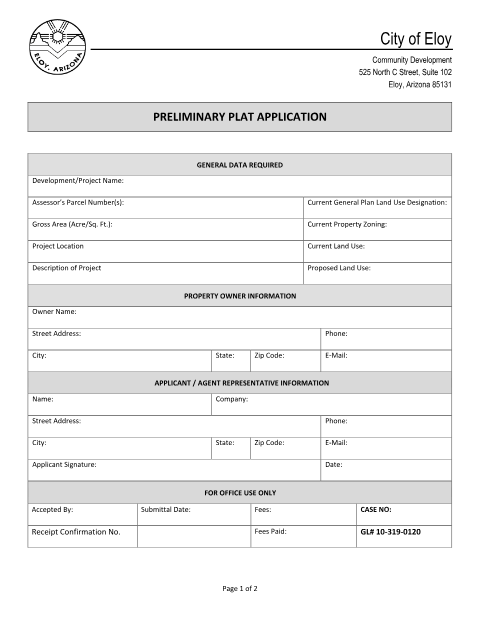
Use this packet to apply for preliminary plat review and check the plans, reports, fees, and other materials required for a complete submittal. The city requires a pre-application request and meeting with the Zoning Administrator before submission, and incomplete applications will not be accepted for review. If an owner is represented by an agent, the packet also includes a Property Owner’s Permission Form for the owner to authorize the representative.
Who needs it
Property owners and developers proposing a subdivision in Eloy need this packet, and an owner represented by an agent must provide the included permission form.
Why it needs a notary
The Property Owner’s Permission Form has a notarial acknowledgment block; the property owner or authorized representative signs and acknowledges the document before the notary.
How to get this notarized
- 1
Download the Packet
Download the preliminary plat application and submittal checklist from the City of Eloy.
- 2
Complete the Application
Fill in the project, property owner, and applicant or agent information, and review the checklist for required materials.
- 3
Book an Online Notary
If the Property Owner’s Permission Form requires notarization, book a live audio-video session with a commissioned online notary.
- 4
Sign on Video
Sign and acknowledge the Property Owner’s Permission Form during your online notary session.
- 5
Submit to the City
Submit the completed application and required checklist materials to Eloy Community Development.
Preview the form
The blank PDF straight from Eloy. Look it over, then upload your filled copy to start the notary session.

You’ll need ID and a webcam.
A licensed online notary will join you on video, verify your government-issued ID, witness your signature, and apply their seal. You’ll receive the notarized PDF by email when the session ends.
Frequently asked questions
- What does the preliminary plat application packet include?
- It includes the preliminary plat application, a checklist of required submittal materials, and a Property Owner’s Permission Form with a notarial acknowledgment.
- Do I need notarization for this application?
- The included Property Owner’s Permission Form has a notarial acknowledgment. The packet says owner authorization is required when an agent represents the property owner; confirm with the city if unsure.
- How do I complete the Property Owner’s Permission Form online?
- Book a live audio-video session with a commissioned online notary. Sign and acknowledge the form during the session, then include it with your application if owner authorization is required.
- Can I sign this form with a remote online notary?
- Arizona has authorized remote online notarization for its own notaries since July 2020 under A.R.S. §41-371 et seq. Arizona also recognizes notarial acts performed by notaries of other states under A.R.S. §33-501.