
Head of the Harbor, NY · Suffolk County
Application for Change of Zone
This application asks the Village Board of Trustees to change a property’s zoning classification and is filed by the property owner or applicant seeking the change.
At a glance
- Issued by
- City of Head of the Harbor · Head of the Harbor, Suffolk County, New York
- Notarization
- Required: sign this form in front of a notary before filing it.
- Official source
- headoftheharborny.gov
- Blank form
- Download the PDF
- Catalogued
- Machine-readable
- JSON record · about the forms index
- licensed online notary
- ~15 min average
- Notarized PDF emailed
What you’ll need
- Government-issued photo ID
- Webcam-enabled device (laptop or phone)
- This form, ready to upload as a PDF
What this form is
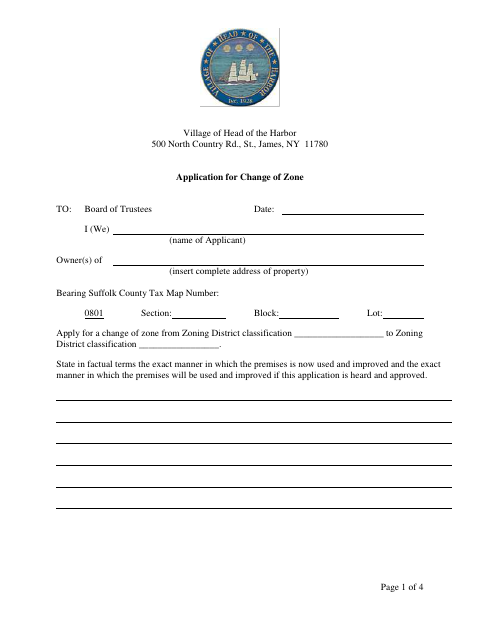
The application identifies the property and its current and proposed zoning classifications, describes how the property is used now and how it would be used if the change is approved, and collects applicant and interest disclosures. The village asks applicants to submit the completed, notarized application with the listed supporting materials, including copies, surveys, and an environmental assessment form. The applicant also acknowledges notice and filing requirements and authorizes inspection of the property.
Who needs it
A property owner or applicant seeking a zoning district change in the Village of Head of the Harbor should complete and submit this application to the Board of Trustees.
Why it needs a notary
The form includes an acknowledgment, not a jurat; each applicant whose signature appears on the application must personally acknowledge signing before the notary.
How to get this notarized
- 1
Download the Application
Get the Application for Change of Zone from the Village of Head of the Harbor.
- 2
Fill In the Form
Provide the property and zoning details, describe current and proposed uses, complete the disclosures, and gather the listed supporting materials.
- 3
Book an Online Notary
Schedule a video session with a commissioned online notary for the application acknowledgment.
- 4
Sign on Video
Show identification as directed and sign or acknowledge the application during the online notarization session.
- 5
Submit to the Village
Send the completed application and required supporting documents to the Village of Head of the Harbor as instructed.
Preview the form
The blank PDF straight from Head of the Harbor. Look it over, then upload your filled copy to start the notary session.

You’ll need ID and a webcam.
A licensed online notary will join you on video, verify your government-issued ID, witness your signature, and apply their seal. You’ll receive the notarized PDF by email when the session ends.
Frequently asked questions
- How do I get the change-of-zone application notarized online?
- Complete the application, then book a video appointment with a commissioned online notary. Sign and acknowledge the application during the session, and follow the village’s instructions for submitting it and its supporting materials.
- Do I need to sign the application in front of a notary?
- Yes. The application checklist calls for a properly notarized submission, and the final page contains an acknowledgment for the applicant’s signature.
- Can I use an online notary for this New York form?
- New York authorizes its own notaries to perform remote online notarizations under Executive Law §135-c, effective since 2023. Use a commissioned online notary and confirm any submission requirements with the village if unsure.
- What supporting documents does the application list?
- The checklist includes eight copies, eight current accurate surveys by a New York State licensed surveyor, a completed Long Environmental Assessment Form Part 1, and a Certificate of Occupancy copy when applicable. It also lists other possible supporting items.
Other forms in Head of the Harbor
Building Permit Application
Head of the Harbor
Special Event Permit Application
Head of the Harbor
Special Permit Plan Application
Head of the Harbor
Zoning Board of Appeals Application
Head of the Harbor
Application For Site Plan Or Subdivision Review
Head of the Harbor
Workers’ Compensation Exemption Affidavit
Head of the Harbor