
Southampton, NY · Suffolk County
Land Management Affidavit
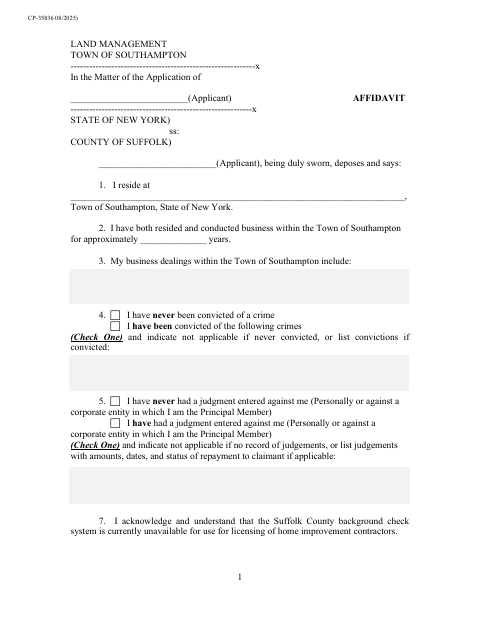
This sworn affidavit records an applicant’s residence, business dealings, conviction and judgment disclosures, and acknowledgments for a Town of Southampton Land Management application.
- licensed online notary
- ~15 min average
- Notarized PDF emailed
What you’ll need
- Government-issued photo ID
- Webcam-enabled device (laptop or phone)
- This form, ready to upload as a PDF
What this form is
The affidavit asks the applicant to provide information about residence and business activity in Southampton, disclose any convictions or judgments, and acknowledge statements about background checks and licensing. The Town of Southampton Land Management Department uses it with applications when a sworn statement of fact is required, including filings related to zoning, planning, or conservation board matters.
Who needs it
An applicant filing with Southampton Land Management who is asked to provide a sworn statement of facts should complete this affidavit.
How to get this notarized
- 1
Download the Affidavit
Download the Land Management Affidavit from the Town of Southampton.
- 2
Fill In the Form
Enter your applicant and residence details, business information, and requested conviction and judgment disclosures.
- 3
Book an Online Notary
Schedule a remote notarization session with a commissioned online notary.
- 4
Sign on Video
Sign and swear to the affidavit during the online notary session.
- 5
Submit to the Town
Submit the notarized affidavit with your Land Management application.
Preview the form
The blank PDF straight from Southampton. Look it over, then upload your filled copy to start the notary session.

You’ll need ID and a webcam.
A licensed online notary will join you on video, verify your government-issued ID, witness your signature, and apply their seal. You’ll receive the notarized PDF by email when the session ends.
Frequently asked questions
- How do I get the Land Management Affidavit notarized?
- Fill in the affidavit, then book an online session with a commissioned online notary. Sign and swear to the statements during the video session, then submit the completed form with your application.
- Do I need to sign the affidavit in front of a notary?
- Yes. The form includes a “Sworn to me” jurat, so the applicant must swear to the statements and sign before the notary.
- Can I use an online notary for this Southampton form?
- New York authorizes remote online notarization by its notaries under Executive Law §135-c, effective since 2023. A commissioned online notary can notarize your sworn statement remotely; confirm with the city, town or village if unsure.
- What information does the affidavit ask me to provide?
- It asks about your residence and business dealings in Southampton, any convictions or judgments, and acknowledgments concerning background checks and information provided to the Land Management Department.
Other forms in Southampton
Home Improvement Contractors License Application
Southampton
Owner’s Endorsement
Southampton
Peddling and Soliciting Individual License Application
Southampton
Transportation for Hire Business Owner’s License Application
Southampton
Operator’s License Application: Transportation for Hire
Southampton
Transportation for Hire Vehicle License Application
Southampton