
Randolph, UT · Rich County
Municipal Declaration of Candidacy and Campaign Financial Report
This combined form records a municipal candidate’s declaration of candidacy and campaign finances for filing with the Randolph filing officer.
At a glance
- Issued by
- City of Randolph · Randolph, Rich County, Utah
- Notarization
- Required: sign this form in front of a notary before filing it.
- Official source
- media.rainpos.com
- Blank form
- Download the PDF
- Catalogued
- Machine-readable
- JSON record · about the forms index
- licensed online notary
- ~15 min average
- Notarized PDF emailed
What you’ll need
- Government-issued photo ID
- Webcam-enabled device (laptop or phone)
- This form, ready to upload as a PDF
What this form is
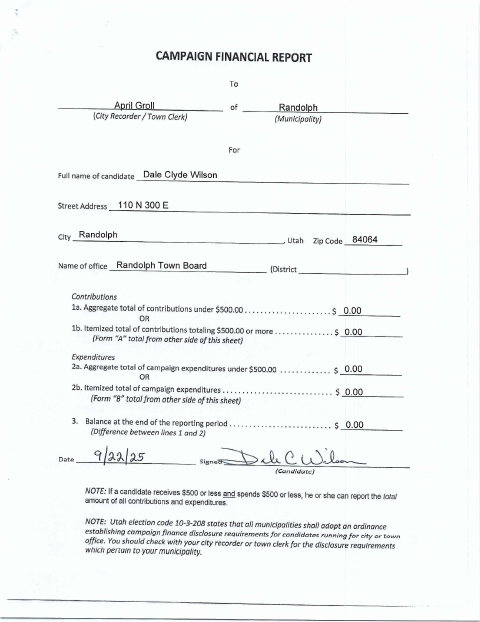
The form combines a declaration of candidacy, candidate qualifications, a campaign financial report, and optional itemized contribution and expenditure schedules. Randolph candidates use it to declare their candidacy and report campaign finances to the city filing officer. The form states that candidates must file campaign financial disclosure reports as required and that campaign disclosure requirements vary by municipality.
Who needs it
A person seeking municipal office in Randolph who must submit a declaration of candidacy and campaign financial information to the filing officer needs this form.
Why it needs a notary
The declaration carries a sworn-and-subscribed jurat; the candidate signs the declaration and swears to its statements before the filing officer named in the form.
How to get this notarized
- 1
Download the Form
Download the five-page declaration of candidacy and campaign financial report.
- 2
Complete the Form
Enter candidate, office, contact, contribution, and expenditure information; attach schedules if needed.
- 3
Book an Online Notary
Arrange an online notarization if the filing officer confirms it will accept one for this jurat.
- 4
Sign as Directed
Sign and swear to the declaration before the filing officer, following the city’s instructions.
- 5
Submit to the City
Deliver the completed form and any attachments to the Randolph filing officer.
Preview the form
The blank PDF straight from Randolph. Look it over, then upload your filled copy to start the notary session.

You’ll need ID and a webcam.
A licensed online notary will join you on video, verify your government-issued ID, witness your signature, and apply their seal. You’ll receive the notarized PDF by email when the session ends.
Frequently asked questions
- How do I complete and file this form?
- Complete the candidacy declaration and campaign financial report, sign the declaration before the filing officer, and submit the form and any needed schedules to the city.
- Do I need to sign the declaration in front of a notary?
- The form includes a sworn-and-subscribed jurat and says the candidate’s signature must be made in the presence of the filing officer. Confirm the signing procedure with the city.
- Can I sign the form with an online notary?
- Utah authorizes remote online notarization by a commissioned online notary under Utah Code §§46-1-3.5 and 46-1-3.6. Because this form directs the candidate to sign in the filing officer’s presence, confirm the city’s acceptance first.
- Where do I submit the completed report?
- The form is addressed to the Randolph city recorder or town clerk. Submit it to the city filing officer and confirm with the city or county recorder if unsure.